Slack匿名メッセージ
率直なチームフィードバックのためのSlack匿名メッセージ
前提への疑問提起やリスクの早期共有、率直な意見交換をSlack内で安全に実現。投稿前AIモデレーション、スレッド仮名、認証済み部門バッジを搭載。
Slackに追加(無料)デモをリクエスト

Slack · /anon
Slack Brilliant Bot
2,000以上のチーム・550,000人以上のユーザーに信頼されています
メンバー・従業員向け
人間関係や評価の不安なく本音を発言
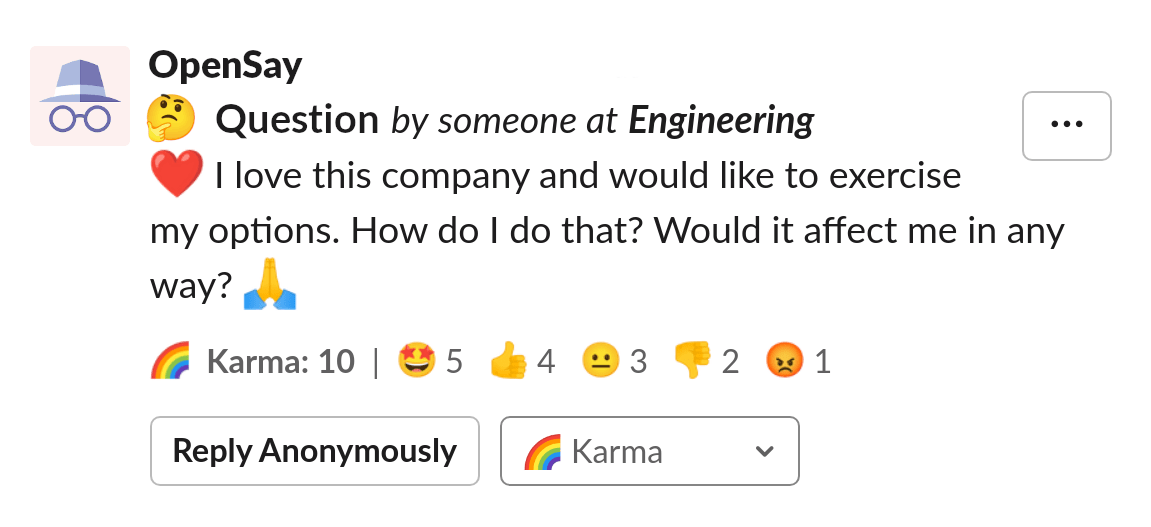
- /anon コマンドで提案、質問、懸念事項を完全に匿名で投稿できます。
- 個人名を明かさずに、認証済み部署バッジ(例: [開発部])を表示可能。
- スレッド内では一意の仮名(OP、匿名1など)で文脈を保ちながら対話。
- AIモデレーションが誹謗中傷をブロックし、建設的な議論を守ります。
リーダー・人事・経営陣向け
組織のリアルな課題を早期にキャッチ
- 現場のボトルネックや離職リスクを数週間早く察知。
- 全社ミーティングやAMA、新方針発表時にリアルなフィードバックを収集。
- ワークスペース独自のポリシーに合わせてAIモデレーションルールを設定。
- 特定チャンネルのみ匿名投稿を許可するホワイトリスト機能で秩序を維持。
01 · Slash Command
Slash Command
Frictionless Posting with /anon
Type /anon in any Slack channel to open the intuitive message composer
Select whether to display your verified usergroup badge (e.g. Engineering, Sales)
Choose context tags like 💡 Idea, 🚩 Concern, 🏆 Praise, or 🤔 Question
Real-time AI sentiment analysis evaluates tone prior to sending
02 · Direct Message Pulse
Direct Message Pulse
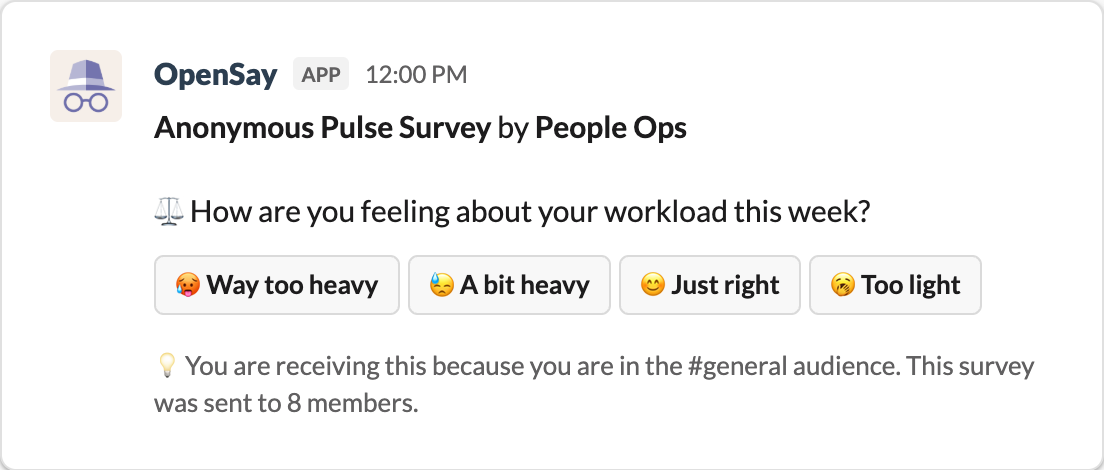
Confidential 1-on-1 Pulse Surveys in DMs
Send one-off or scheduled pulse surveys directly via 1-on-1 Slack Direct Messages
Eliminate public channel peer pressure so employees share candid thoughts safely
Real-time response dashboards, aggregate feedback score breakdowns, and trend charts in app.opensay.co
Target specific Slack usergroups, departments, or entire workspaces
03 · AI Safety Moderation
AI Safety Moderation
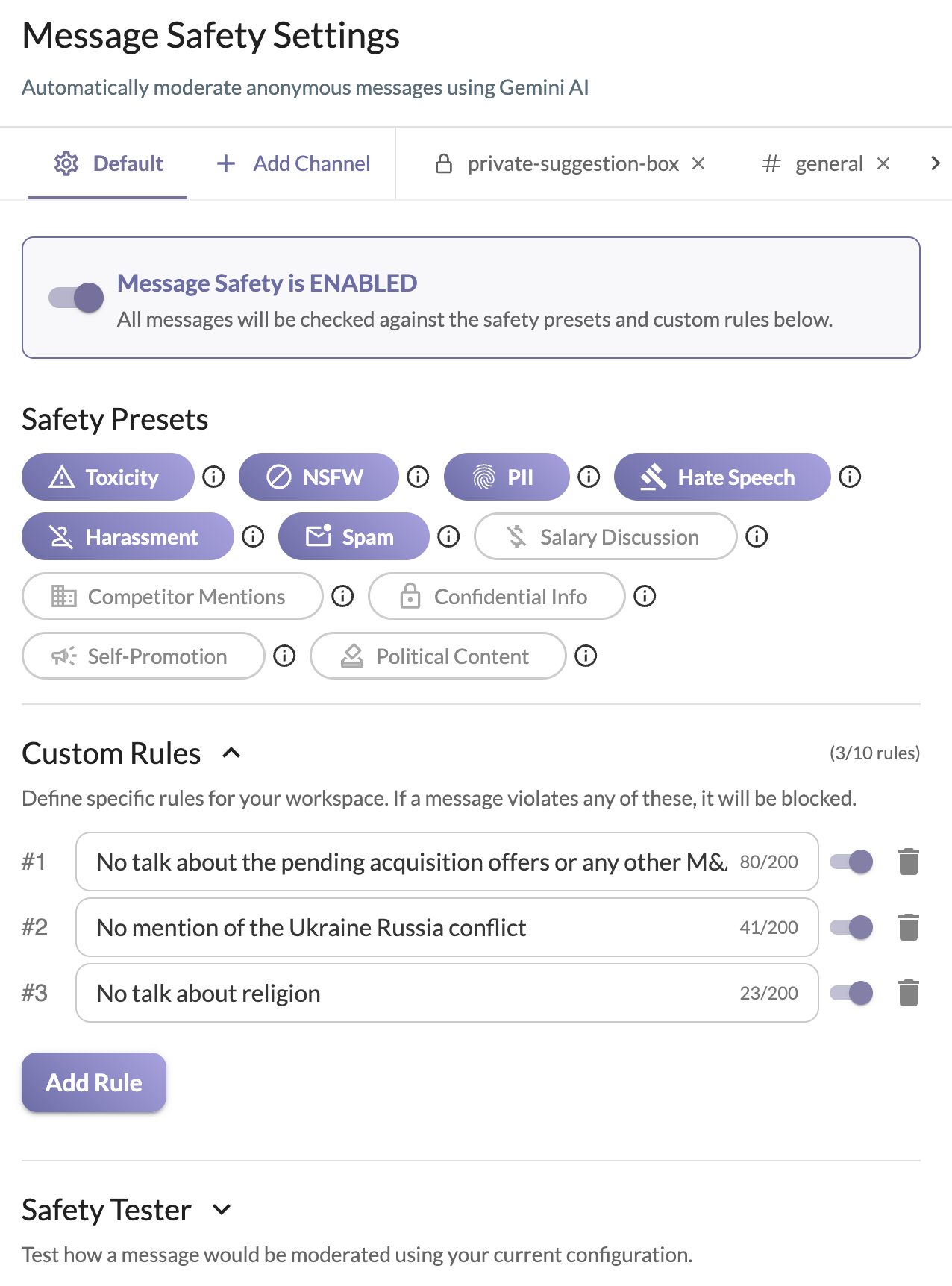
Safe by Design: AI Pre-Flight Moderation
Integrates Google Perspective API and LLMs to flag toxic, abusive, or NSFW language
Admins can set customized minimum sentiment scores globally or per channel
Prevents harassment while encouraging authentic, constructive feedback
Multi-lingual support across 100+ languages
04 · Channel Permissions
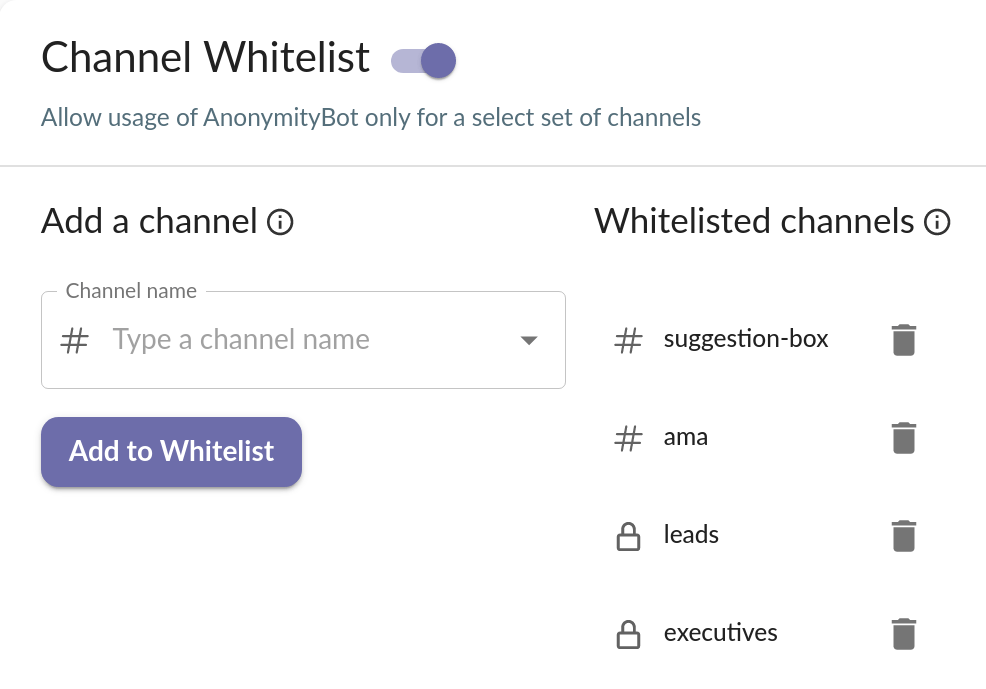
Channel Permissions
Granular Channel & Permission Controls
Limit anonymity to specific public or private feedback channels (#ama, #retros, #feedback)
Enable Authorized Responses so leaders can reply officially with verified badges
Negative Karma thresholds automatically hide unpopular or unproductive noise
Privacy-first architecture: author IDs are never stored on external databases
Essential Guides for Anonymous Slack Messaging
Master commands, safety settings, and usergroup configurations in under 3 minutes.
OpenSay in Slack vs. External HR Portals
Why in-Slack feedback eliminates portal friction compared to HiBob, Lattice, or Google Forms.
| Capability | OpenSay for Slack | External HR Portals (HiBob / Lattice) |
|---|---|---|
| Where it Happens | Directly in Slack (where work already occurs) | Separate web app login (rarely opened) |
| Employee Anonymity Trust | Zero Author ID Storage, Custom AI Policies & Authorized Replies | Employees fear internal corporate IT tracking |
| 1-on-1 Pulse Surveys in DMs | Yes (instant confidential DM surveys) | Long external email links |
| AI Toxicity & PII Filtering | Real-time Pre-Flight AI Perspective Verification | None or basic keyword blacklist |
| Interactive Thread Pseudonyms | Yes (random avatars maintain discussion flow) | Static one-off text boxes |
| Verified Usergroup Badges | Yes (e.g. [Engineering], [Sales]) | All-or-nothing identity |
Workplace Culture & Psychological Safety Articles
Slackガイド心理的安全性
Slackで匿名メッセージを送信・活用する完全ガイド
OpenSayを使ってSlackで匿名メッセージを有効化する方法を解説。心理的安全性を高め、率直なフィードバックと安心できる対話環境を実現します。

OpenSay Team
Jan 20, 2026
·
読了時間: 5 分
OpenSay Team
Feb 5, 2026
·
読了時間: 4 分
OpenSay Team
Jan 15, 2026
·
読了時間: 4 分
Unlock Psychological Safety in Slack Today
Join 2,000+ teams using OpenSay to build a culture of open feedback, independent thinking, and responsible communication.