Open Feedback in Slack
Responsible Anonymous Thoughts and Psychological Safety
Moderated by AI and team effort
 Pro Bono Plan
Slack Brilliant Bot
Trusted by over 1000 teams






Psychological Safety & Open Culture
Protecting identities levels the playing field and encourages all voices to be heard

Employee Engagement & Retention
Help your team speak up safely in townhalls, all-hands and ask-me-anything sessions

Increase Productivity
Allow free thoughts without fear of retribution. Iterate faster. Win.
Features
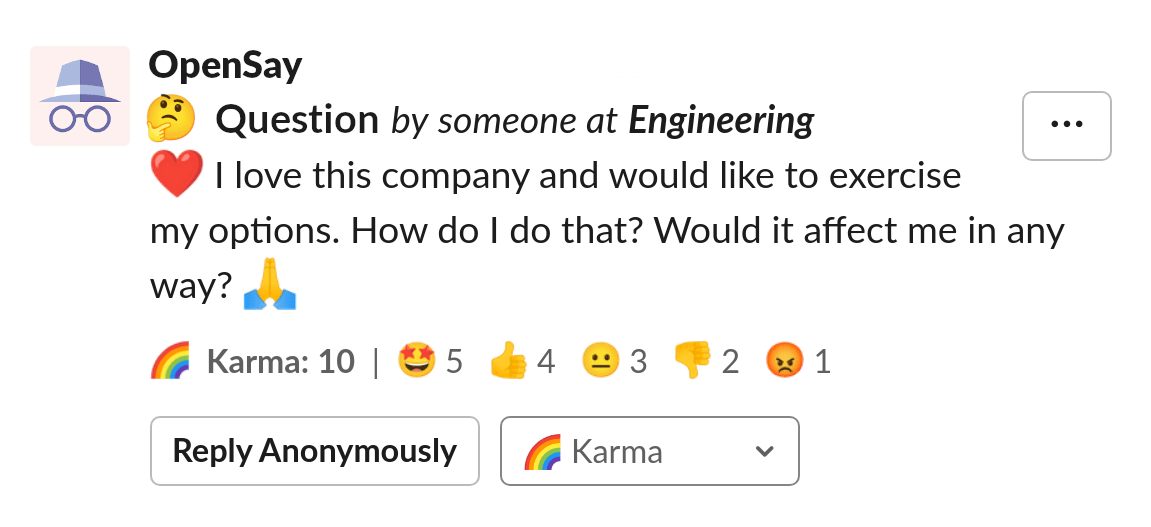
Anonymous Feedback with Slack Messages
Allow Slack team members to post, reply and give karma anonymously
Authors can show a Slack usergroup they belong to
Posts with negative karma are hidden
Repliers are distinguished by pseudonyms
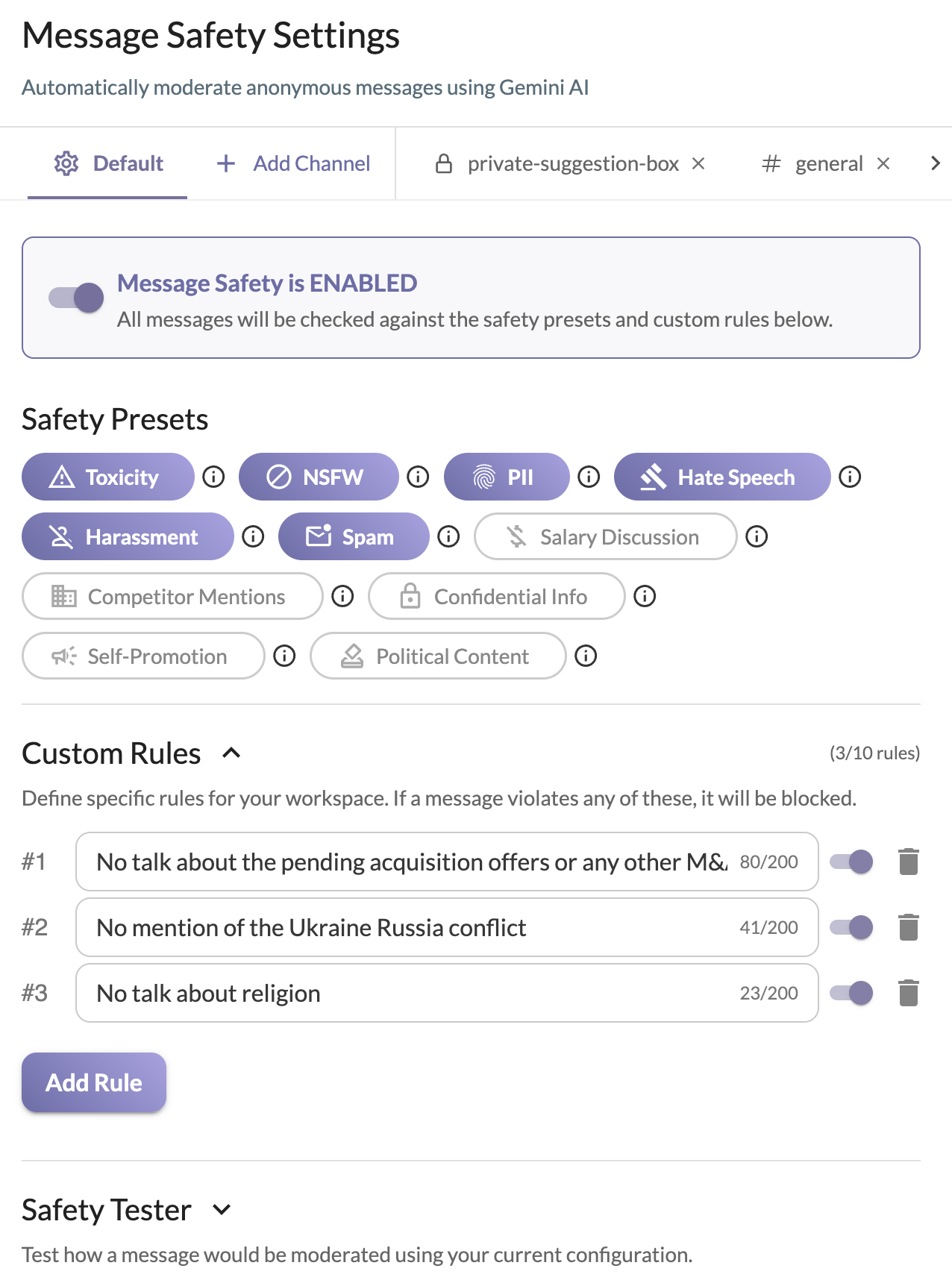
Moderated by AI. Directly in Slack!
LLMs automatically detect Toxicity, NSFW, Harassment, PII, and more
Admins can create Custom Rules to enforce their own workspace policies
Enable Custom AI moderation settings globally or per specific channel
Supports analysis of over 100 languages

Anonymous Feedback with Slack Polls and Pulse Surveys
Allow Slack team members to poll and vote anonymously
Wide variety of pulse survey templates is available
Polls are real-time generated images - perfect for embedding in emails and presentations

Anonymous Employee Recognition and Shoutouts within Slack
Allow Slack team members to recognize, praise or give Kudos to others
AI is used to verify that the recognition is of positive sentiment
Admins can set the amount of allowed positive sentiment
Members can't give shoutouts to themselves
Shoutouts are real-time generated images - easily embedded anywhere images are supported
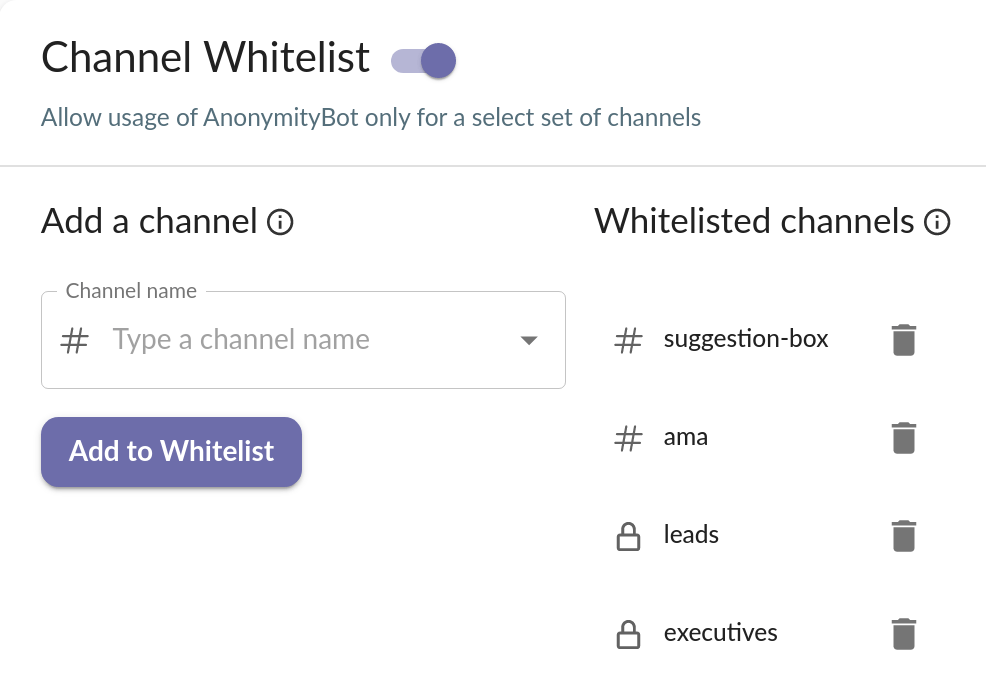
Anonymous Feedback in Specific Slack Channels
Admins can choose to allow usage of anonymity only in specific public or private channels
Only members of an allowed private channel can use anonymity there
Perfect for suggestion box, Ask Me Anything (AMA) and townhall channels
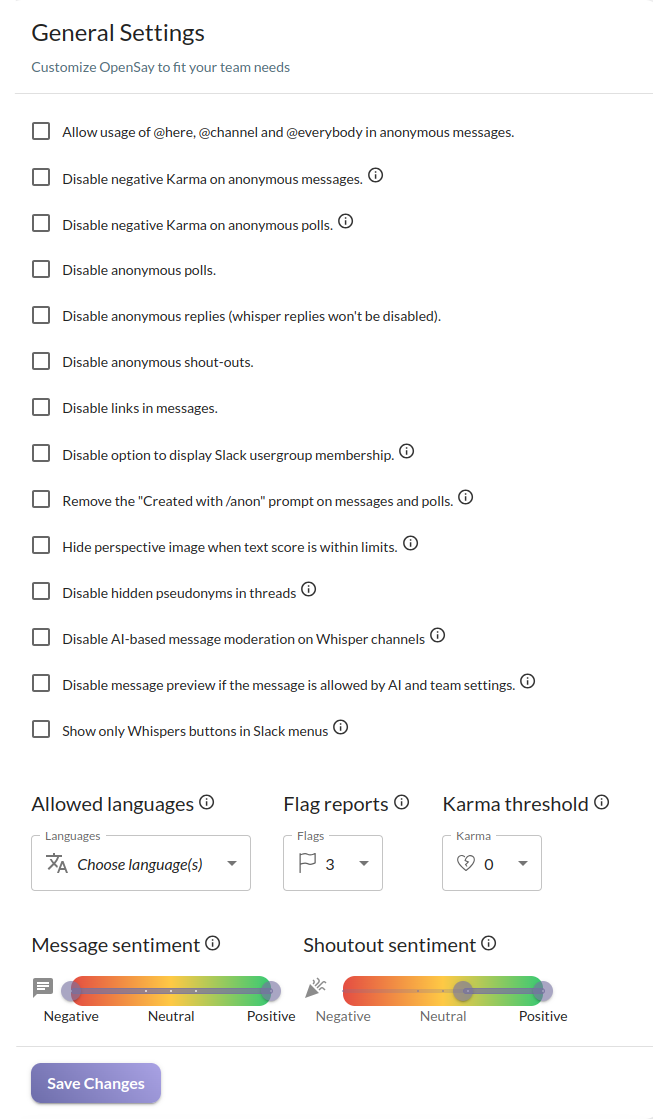
Highly Configurable
Admins can customize OpenSay to fit their Slack team's needs
Distributed teams may choose to limit anonymous feedback to specific languages
Karma & Flags thresholds can be set to allow unpopular opinions to be heard
HR may require only positive anonymous sentiment
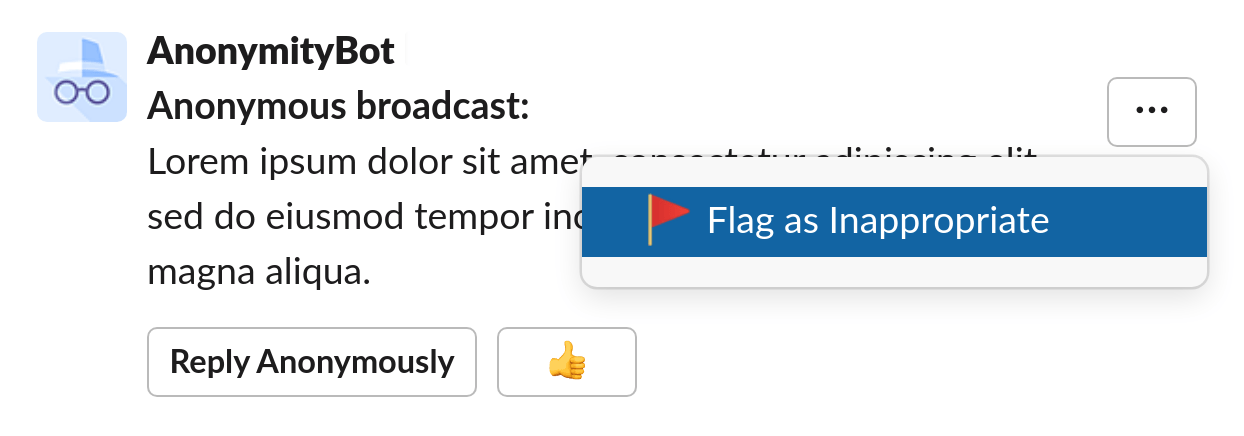
Moderated by Team Effort
Team members can self-regulate anonymous messages by flagging a message as inappropriate
When a message reaches a threshold (3 by default) flag reports, the message is deleted and the flag reporters are mentioned (to avoid trolls)
When a message's Karma is below a threshold (0 by default) the message is hidden
Encouraging contrarian thoughts - admins can set the number of required flag reports and the Karma threshold
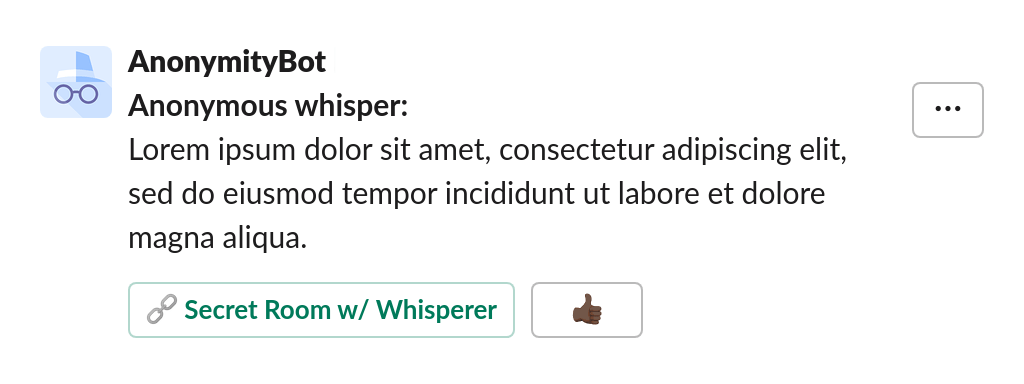
Private Anonymous Feedback in Slack
Anonymous whispers allows anyone from your Slack team to post anonymously in a private channel that is only accessible to a priviliged few
Allows the creation of private suggestion boxes - to raise concers or sensetive issues - e.g. #whisper-to-hr, #whisper-to-executives etc.
2-Way Communication. A secret chat room allows the whisperer and recipients to convene pseudonymously
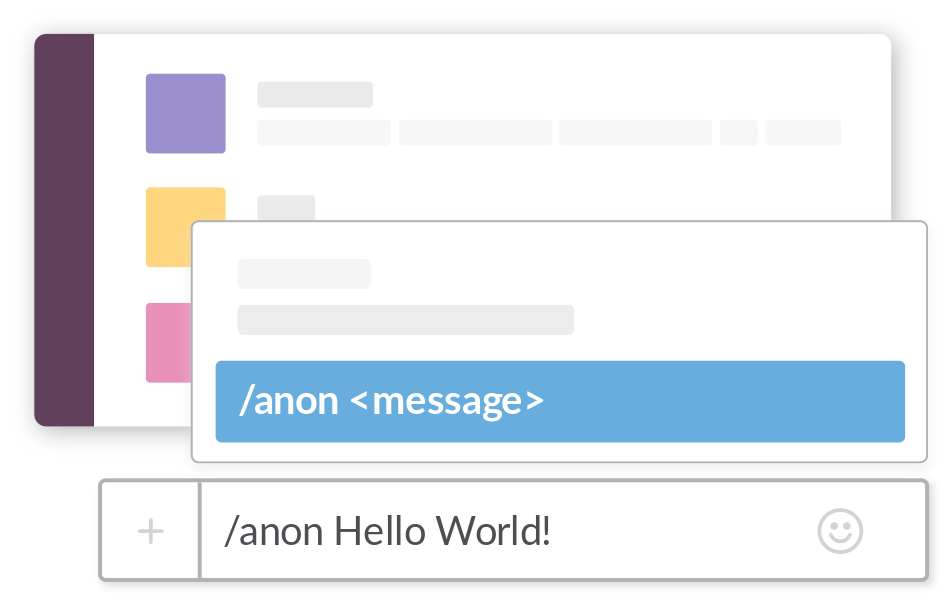
Easy Command Line Interface
Use the /anon command to launch OpenSay's menu