Responsible Anonymous Feedback in Microsoft Teams
Empower your team to speak up, share authentic perspectives, and surface critical ideas directly within Microsoft Teams channels.
 Add to Microsoft Teams
GDPR Compliant
Free during early access period
100+ Languages

How OpenSay Works in Microsoft Teams
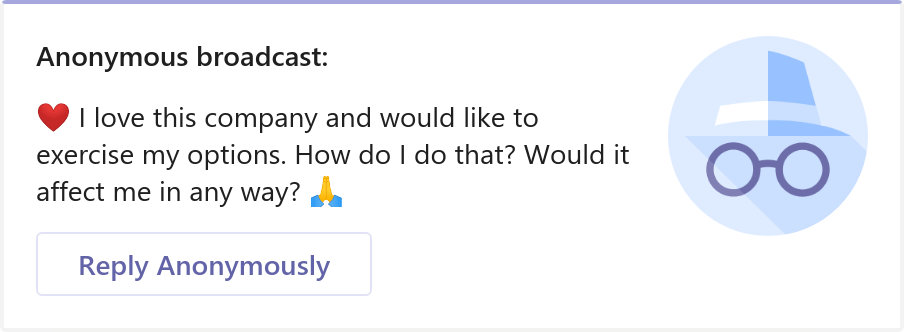
Teams Messaging Extension
Post anonymous conversations in any Teams channel directly from the messaging extension menu.
Click on 'New Conversation', open the Anonymous Bot extension, type your message, and preview it before posting.
Complete identity protection ensures authentic and safe participation.
Learn more...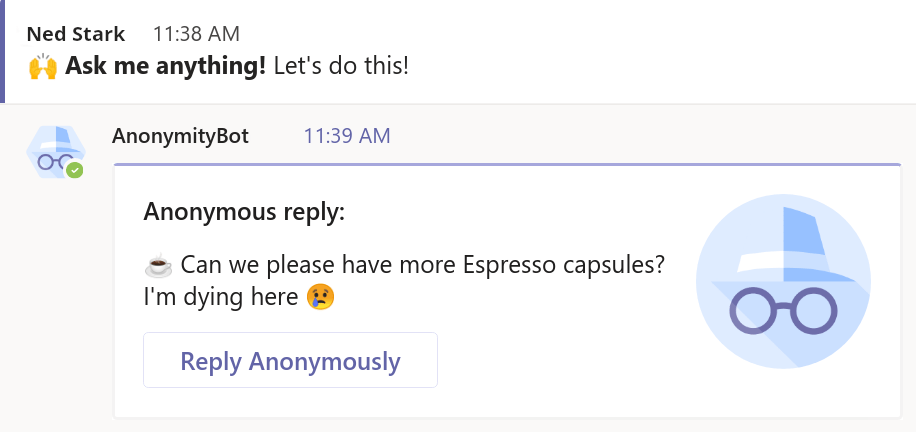
Anonymous Thread Replies
Reply anonymously to any conversation in Microsoft Teams channels with full message formatting and emojis.
Select 'Reply Anonymously' from any message menu to provide frank input or constructive critiques without career risk.
Full Markdown formatting, bold/italics, and emoji reactions supported.
Learn more...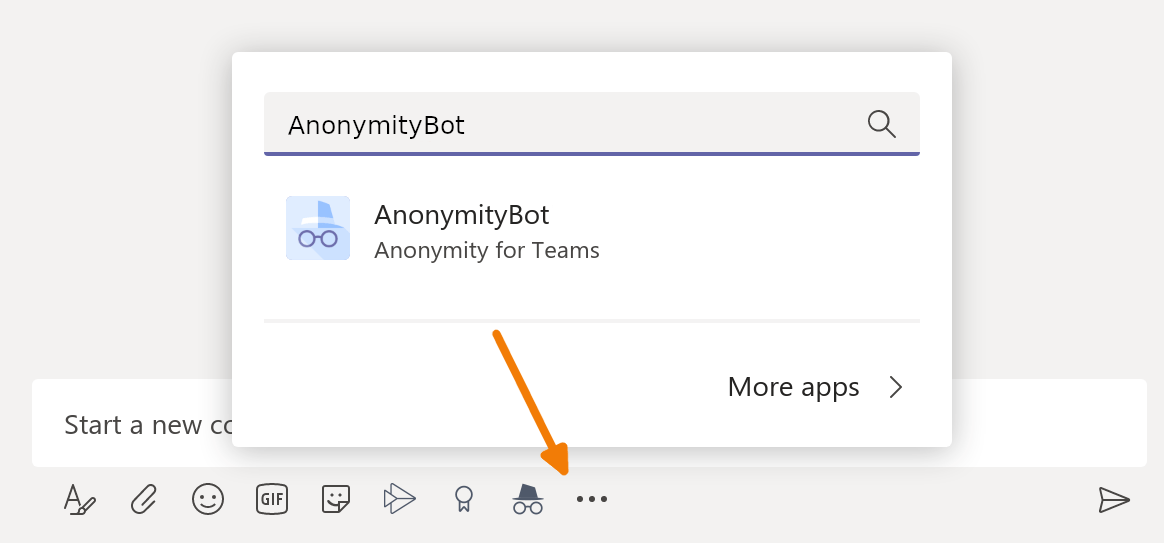
AI Tone & Perspective Moderation
Built-in AI sentiment safeguards and policy enforcement to maintain high-trust workplace discussions.
Empower psychological safety while automatically protecting against workplace harassment and toxic conduct.
Fully configurable moderation rules for compliance with international labor and whistleblower standards.
Learn more...Why Organizations Choose OpenSay for Microsoft Teams
For Frontline Staff & Team Members
Voice concerns, share creative ideas, and participate in channel discussions without fear of judgment or title bias.
For Channel Owners & People Leaders
Measure authentic team sentiment, run constructive Q&As, and ensure workplace safety with automated content filters.
How to Use Anonymous Bot in Microsoft Teams
Three straightforward steps to post and reply anonymously in your channels.
1. Open Messaging Extension
In any Teams channel, click 'New Conversation' and select Anonymous Bot from the extensions menu (...).
2. Compose & Preview
Type your message, apply bold/italics or emojis, and review the live preview before sending.
3. Post or Reply in Thread
Submit your post or use the 'More Actions' menu on any message to reply anonymously in threads.
Frequently Asked Questions
Quick answers about privacy, message formatting, and using OpenSay in Microsoft Teams.
Can team owners or IT administrators discover who posted anonymously?
No. Anonymous Bot does not store or expose sender identities to channel owners, team admins, or IT administrators.
What message formatting is supported in Teams?
You can format messages using standard Markdown syntax, including bold (**text**), italics (*text*), hyperlinks, and emojis from emojipedia.
How do I reply anonymously to an existing Teams message?
Hover over the message, click the three dots (...) for More Options, choose 'More Actions', and select 'Reply Anonymously'.
Is Anonymous Bot available in the Microsoft Teams App Store?
We are currently in early access beta. You can request the installation package directly from [email protected] to add it to your team.
Responsible Anonymous Feedback in Microsoft Teams
Empower your team to speak up, share authentic perspectives, and surface critical ideas directly within Microsoft Teams channels.