Responsible Anonymous Feedback in Google Chat
Create a psychologically safe workspace for honest thoughts and contrarian perspectives directly within Google Chat. Moderated by AI.
 Add to Google Chat
GDPR Compliant
Free during early access period
100+ Languages

How OpenSay Works in Google Chat
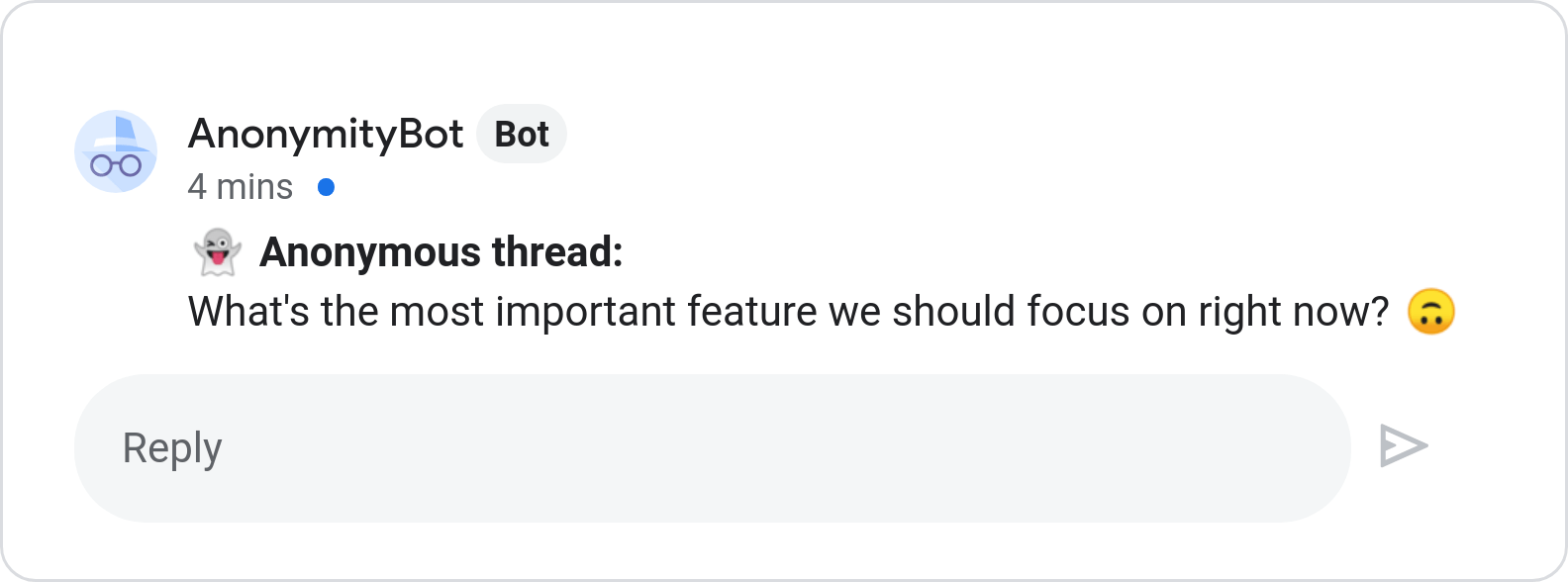
Post Anonymously in New Threads
Start honest discussions in any Google Chat space or room using the /anon_thread command without revealing your identity.
Select any space (e.g. #general, #all-hands, #engineering) and type /anon_thread <message>.
Strict author privacy ensures identities cannot be traced or de-anonymized.
Learn more...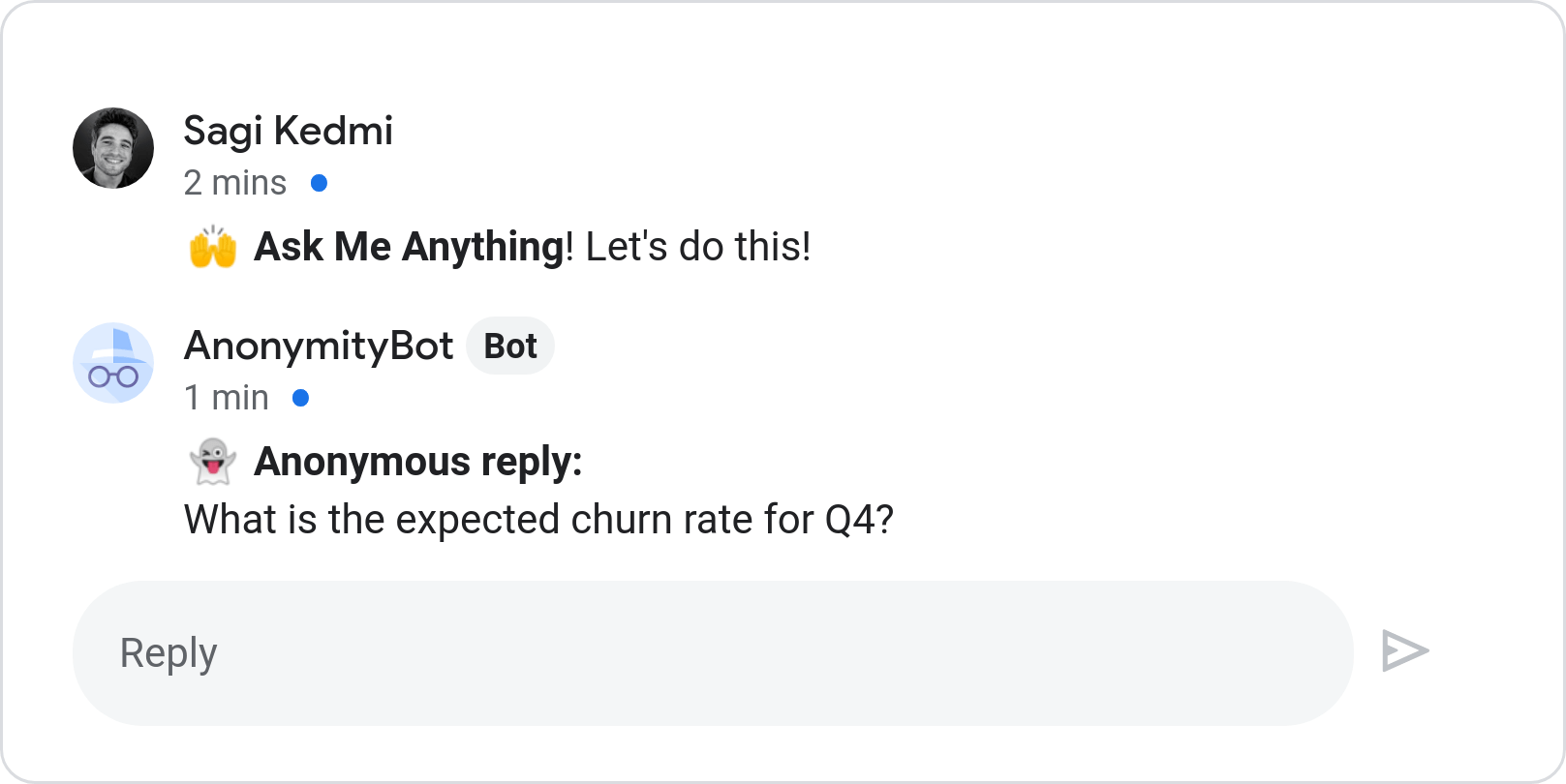
Reply Anonymously to Any Thread
Join conversations pseudonymously with /anon_reply to share feedback or answer questions safely.
Reply to existing questions or town hall threads without executive title bias.
Supports full text formatting, code snippets, and emojis.
Learn more...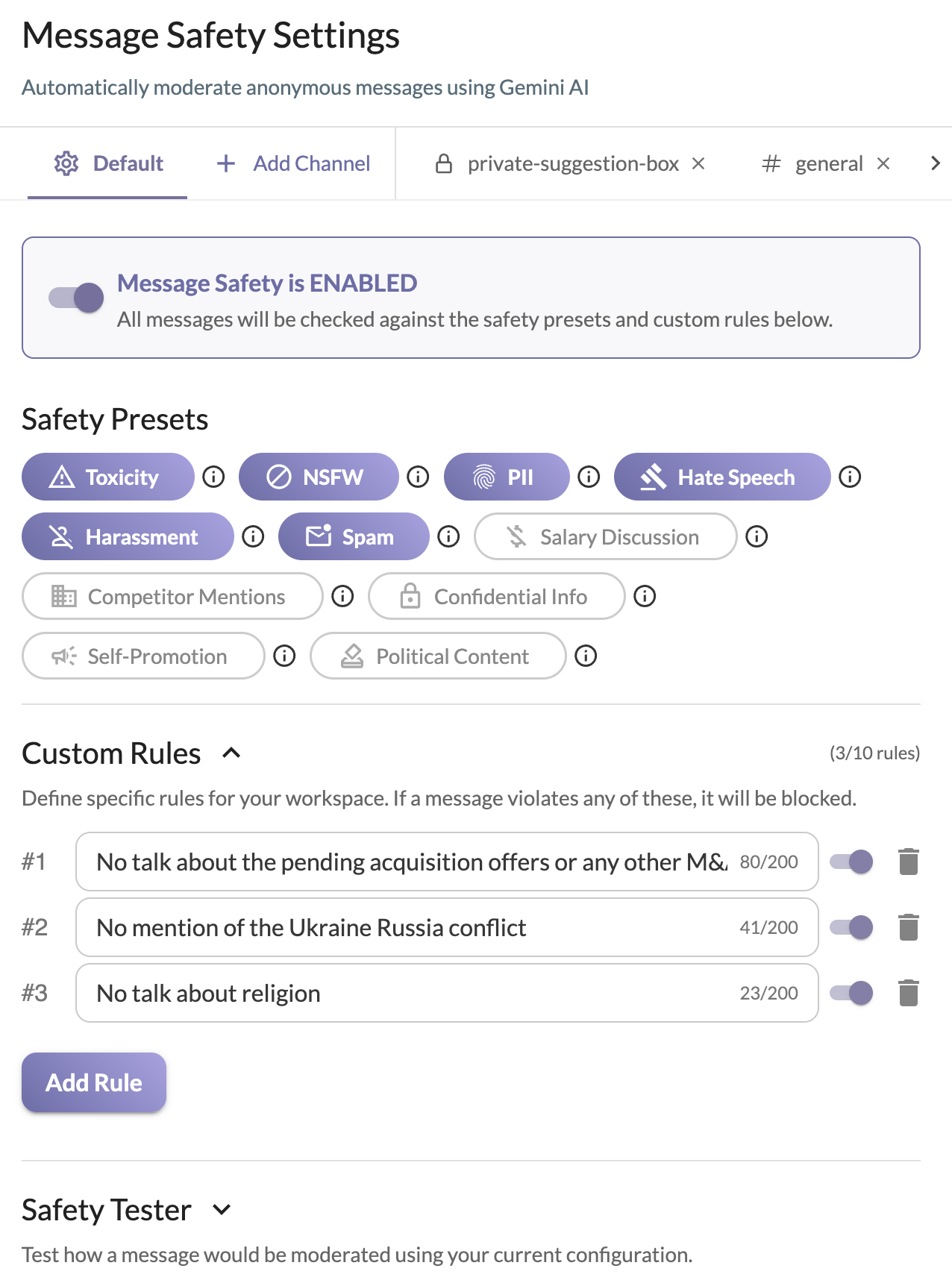
AI Safety & Content Moderation
Automated pre-flight checks detect toxicity, harassment, and PII, ensuring respectful and constructive team discussions.
LLM-powered sentiment checks enforce team guidelines before messages are posted.
Customizable workspace safety thresholds and language support for 100+ languages.
Learn more...Why Organizations Choose OpenSay for Google Chat
For Team Members & Individual Contributors
Share authentic thoughts, contrarian perspectives, and critical questions in all-hands or project spaces without social anxiety or career risk.
For Space Managers & Team Leadership
Surface ground-level blind spots early, encourage honest upward feedback, and maintain respectful dialogue with built-in AI moderation.
Google Chat Slash Commands
Simple commands to communicate responsibly across all your spaces.
/anon_thread <message>Start a new conversation thread with an anonymous message in any space.
/anon_thread How are we handling the upcoming migration deadline?
/anon_reply <message>Reply anonymously to an existing thread or discussion topic.
/anon_reply I suggest running a staging dry run first to avoid downtime.
/anon_feedback <message>Send direct feedback or product suggestions to the OpenSay team.
/anon_feedback Would love to see poll functionality in Google Chat!
/anon_helpDisplay the interactive command guide and usage tips.
/anon_help
Frequently Asked Questions
Quick answers about privacy, moderation, and using OpenSay in Google Chat.
Can space managers or admins see who sent an anonymous message?
No. Author identities are never recorded or accessible to workspace managers or administrators. Anonymity is strictly enforced.
How does the AI moderation work in Google Chat?
Every message passes through pre-flight AI sentiment and safety checks that detect harassment, toxicity, and personally identifiable information (PII) before posting.
Can I reply anonymously to existing threads?
Yes. Using the /anon_reply command, you can reply directly to any discussion thread without revealing your identity.
Is OpenSay free to use in Google Chat?
Yes, OpenSay for Google Chat is currently available free of charge during our early access period.
Responsible Anonymous Feedback in Google Chat
Create a psychologically safe workspace for honest thoughts and contrarian perspectives directly within Google Chat. Moderated by AI.