PricingBlogFAQ
Sign In
Responsible Anonymity in Slack

Slack Anonymous Messaging and Whistleblowing

Build a psychologically safe workplace with responsible anonymity, moderated by AI and team effort, directly in Slack!


#town-hall-ama/anon
OpenSay
OpenSayAPP🤔 AMA Question11:02 AM
Anonymous · @engineering
With the new enterprise push, will our Q4 roadmap still include time for paying down legacy billing debt—or is that pushed to next year?
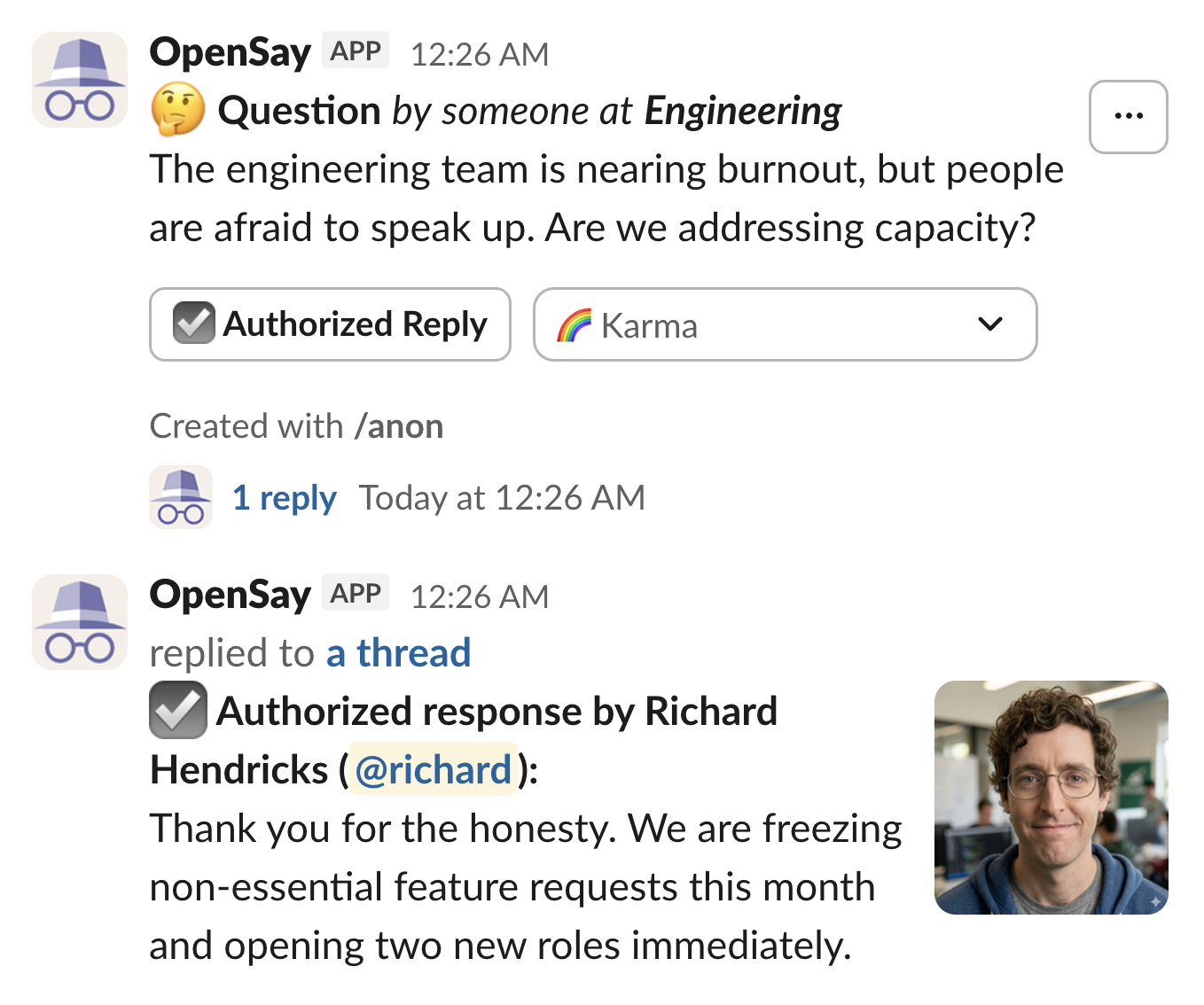
☑️ Only designated leaders can reply
🤩 +2 · 👍 +1 · 😐 0 · 👎 -1 · 😡 -2
Slack Brilliant Bot
Trusted by over 2000 teams with 550,000+ users
Trusted by 2,000+ Slack Teams

Why our clients love us

From engineering retros and executive AMAs to confidential compliance reporting, teams rely on OpenSay for candid dialogue inside Slack.

01 · Architecture & Town Halls
OpenSay
Engineering & Product

“OpenSay gave our engineers a trusted channel to surface architectural risks and candid questions during town halls—directly inside Slack with zero friction.”

Priya Nair
Priya Nair
VP of Engineering · CloudScale
Explore →
02 · AMAs & Peer Recognition
OpenSay
People & Culture

“Combining AI sentiment protection with team-driven Karma moderation transformed our Friday AMAs and anonymous shoutouts into our most engaged rituals.”

Henrik Solberg
Henrik Solberg
Head of People & Culture · Nordvik
Explore →
03 · Confidential Whispers
OpenSay
Compliance & Legal

“Two-way anonymous whisper threads let our compliance leads follow up on sensitive workplace reports confidentially while meeting EU Directive and SOX standards.”

Claire Beaumont
Claire Beaumont
General Counsel · Veridian FinTech
Explore →
01 · Anonymous Messaging
Anonymous Feedback in Slack with Messages
01 · Anonymous Messaging

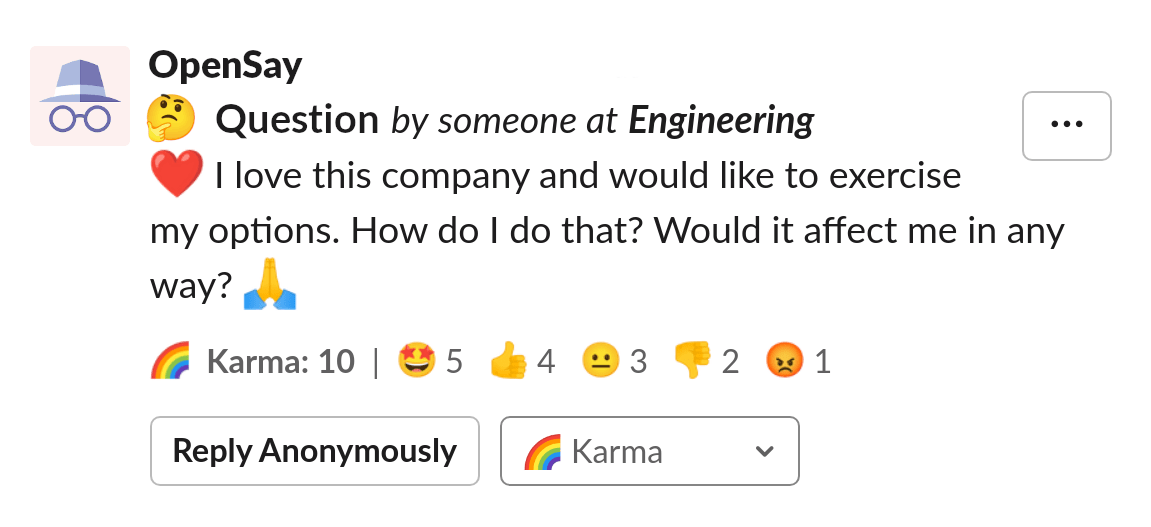
Anonymous Slack Messages & Replies

Allow Slack team members to post, reply and give karma anonymously
Authors can show a Slack usergroup they belong to
Authors can tag the message - e.g. 💡 Idea, 🚩 Concern, 🏆 Praise, 🤔 Question, 💬 Feedback etc.
Posts with negative karma are hidden
Repliers are distinguished by pseudonyms
Learn more
02 · AI Safety Moderation
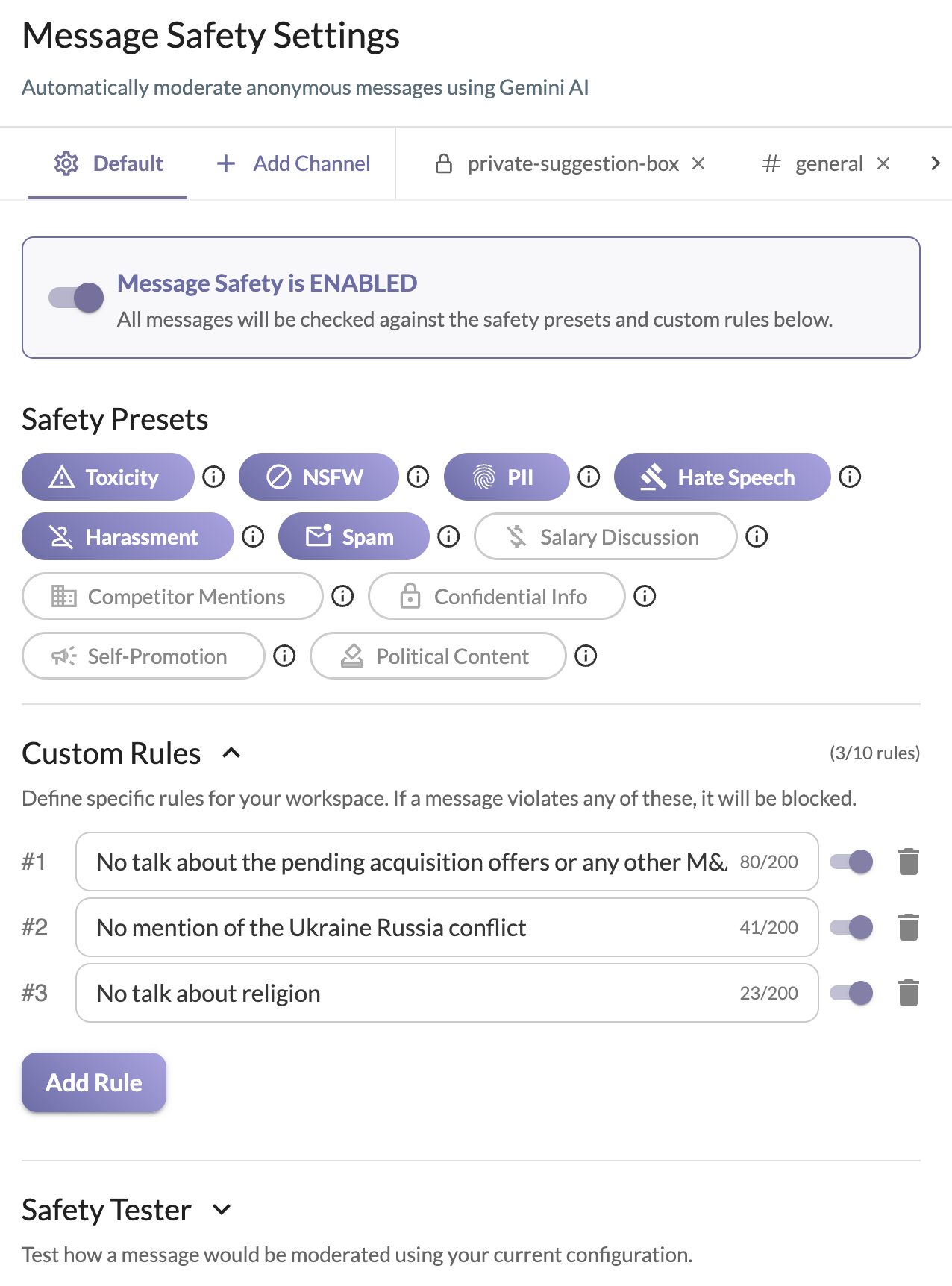
Message Safety Settings
02 · AI Safety Moderation

Moderated by AI. Directly in Slack!

LLMs automatically detect Toxicity, NSFW, Harassment, PII, and more
Admins can create Custom Rules to enforce their own workspace policies
Enable Custom AI moderation settings globally or per specific channel
Supports analysis of over 100 languages
Learn more
03 · Anonymous Polls
Anonymous Polls in Slack
03 · Anonymous Polls

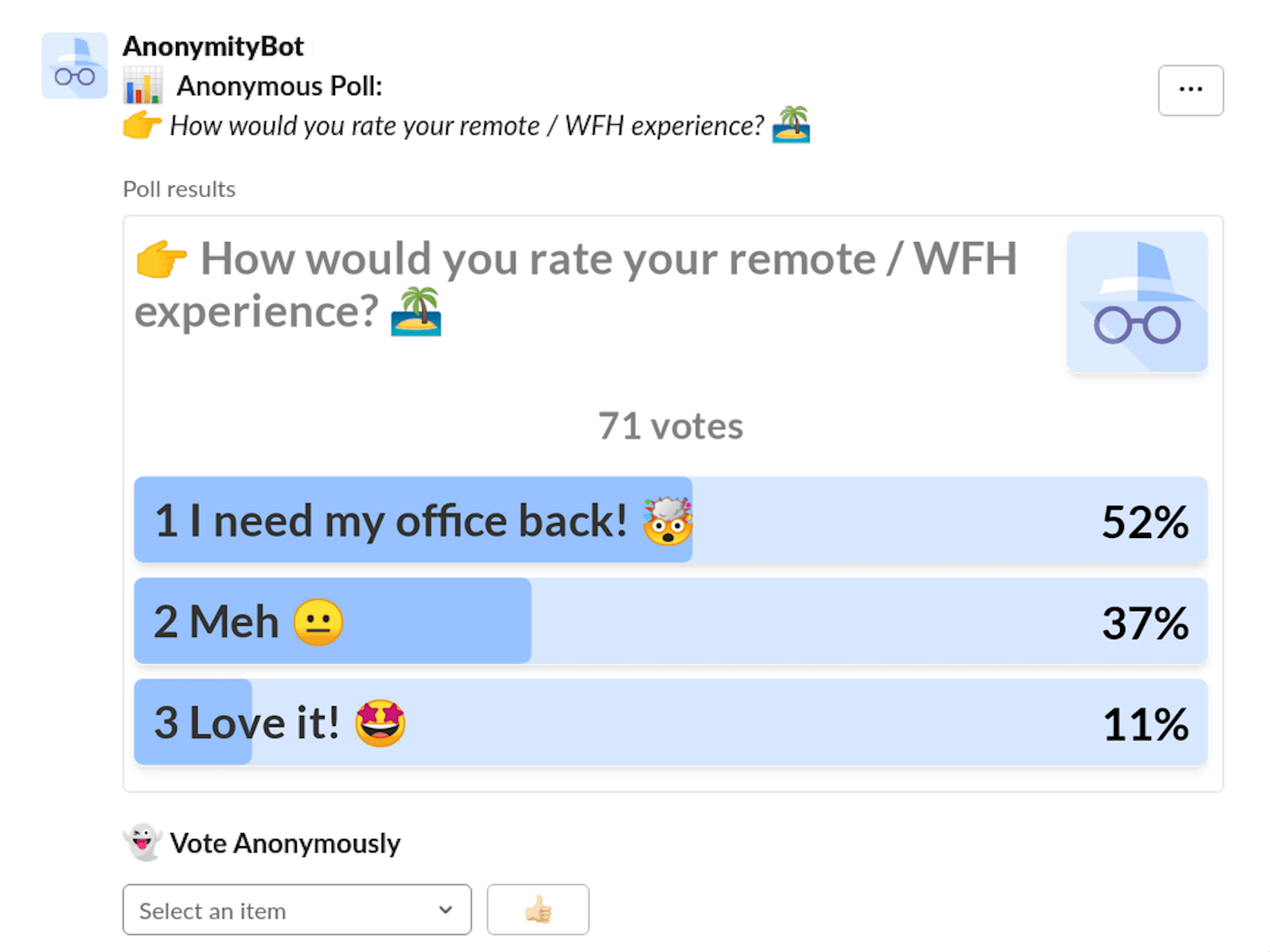
Anonymous Slack Polls

Create Slack polls where both pollster and voter are anonymous
Options can be dynamically added
Live poll results are updated instantly as votes come in
Polls can be set with single or multi choices
Learn more
04 · DM Pulse Surveys
Anonymous Pulse Surveys in Slack
04 · DM Pulse Surveys

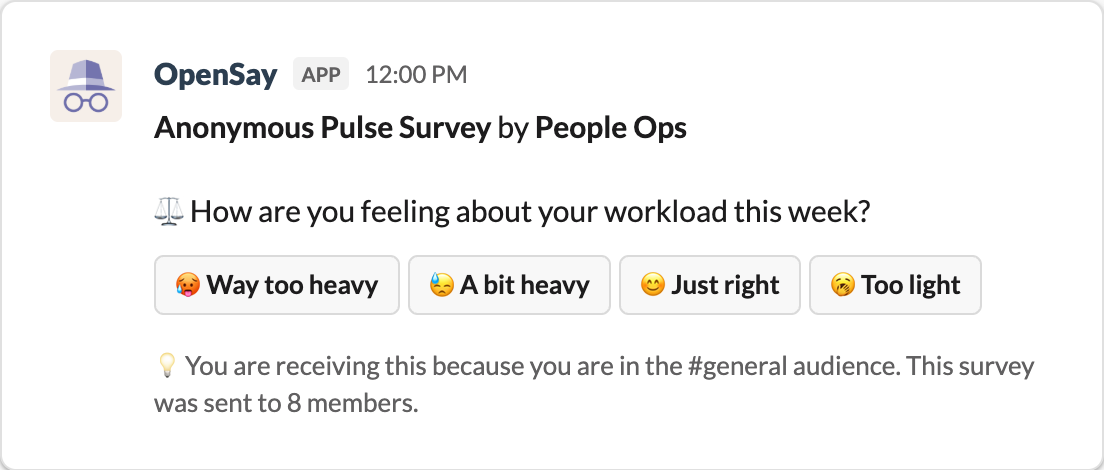
Anonymous Pulse Surveys via Private DMs
Send confidential pulse surveys directly to employees via private 1-on-1 Slack DMs
Eliminate public channel peer pressure to gather high-fidelity, honest feedback
Real-time response dashboards and aggregated feedback score breakdowns in app.opensay.co
Target specific Slack usergroups, departments, or the entire organization
Learn more
05 · Private Whistleblower Hotline
Private Whistleblower Hotline in Slack
05 · Private Whistleblower Hotline

Private Whistleblower Hotline

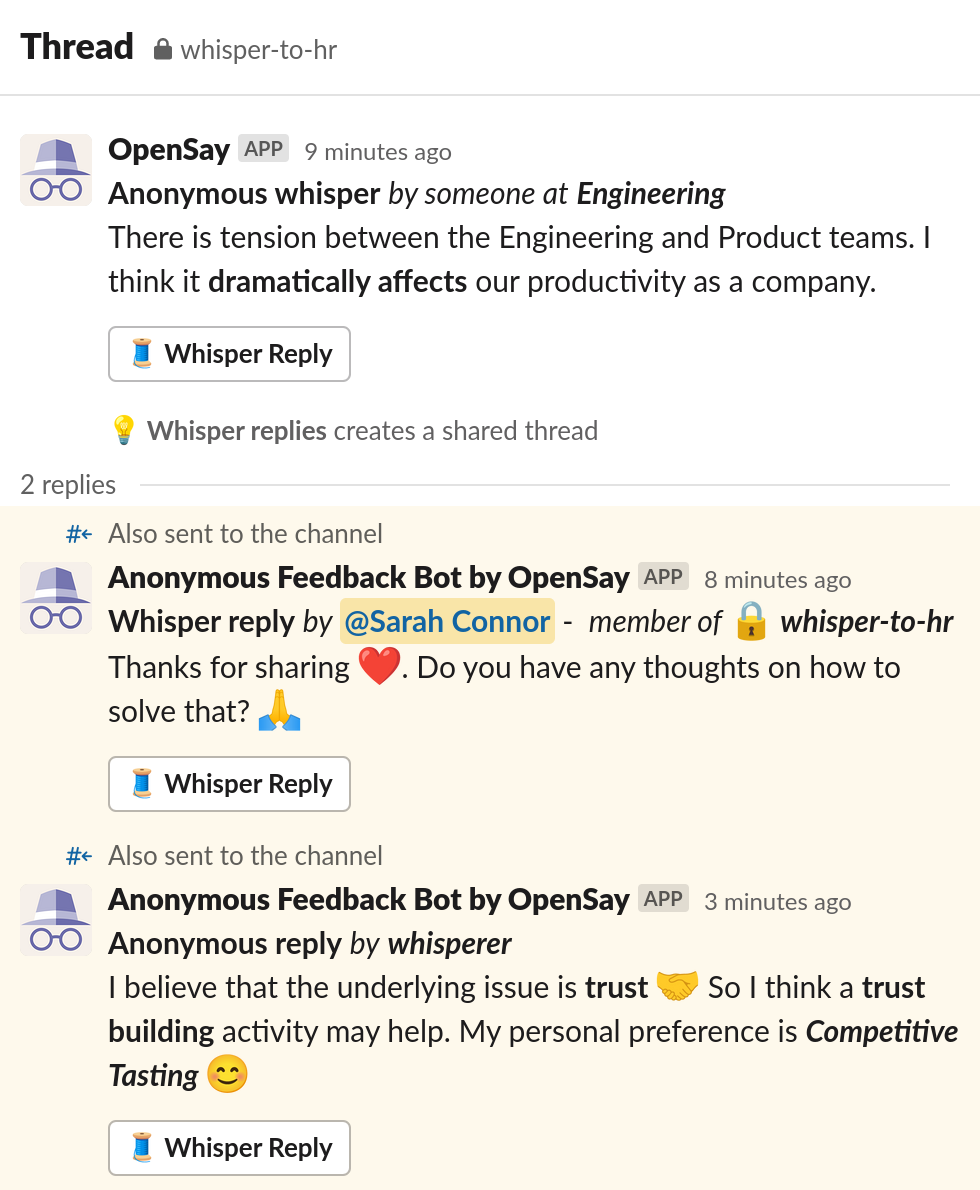
Private reporting channel directly inside Slack with /whisper
Two-sided conversations between team members and leadership whisper channels
Submitters can choose to remain anonymous or share their name
Compliant with regulations without friction directly inside Slack
Learn more
06 · Peer Recognition
Anonymous Peer Recognitions
06 · Peer Recognition

Anonymous Peer Recognitions

Allow Slack team members to recognize, praise or give Kudos to others
AI is used to verify that the recognition is of positive sentiment
Admins can set the amount of allowed positive sentiment
Members can't give shoutouts to themselves
Shoutouts are real-time generated images - easily embedded anywhere images are supported
Learn more
Workspace Governance

Granular Controls for Every Team

Configure channel rules, Karma thresholds, language settings, and slash commands in minutes.

Channel Permissions

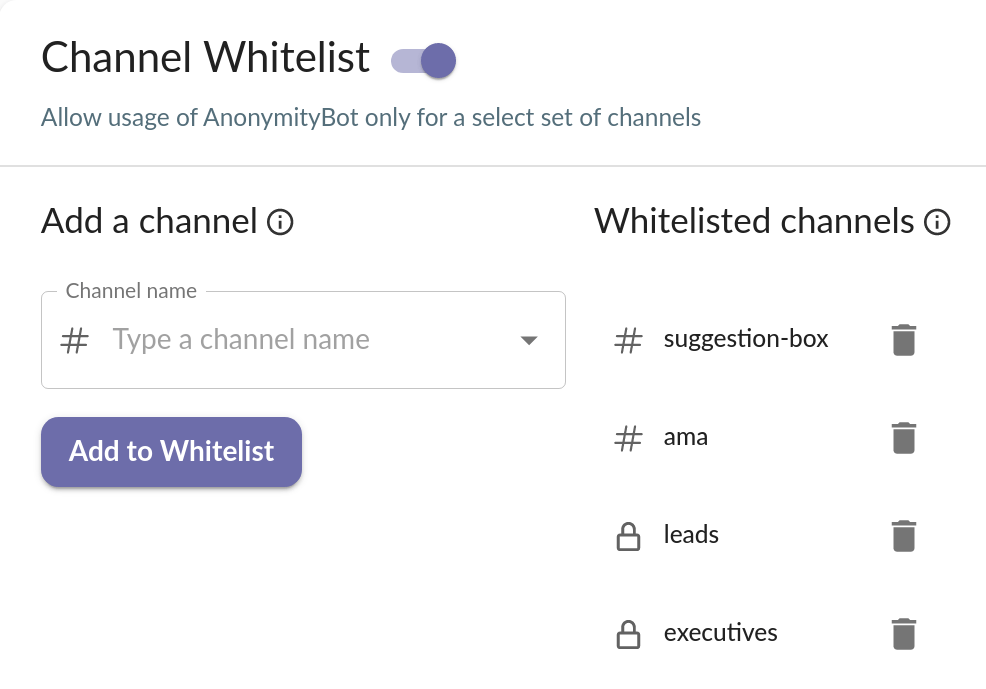
Limit Anonymity to Specific Channels

Anonymous Feedback in Specific Slack Channels
  • Admins can choose to allow usage of anonymity only in specific public or private channels
  • Only members of an allowed private channel can use anonymity there
  • Perfect for suggestion box, Ask Me Anything (AMA) and townhall channels
Workspace Settings

Highly Configurable

Workspace Configuration Dashboard
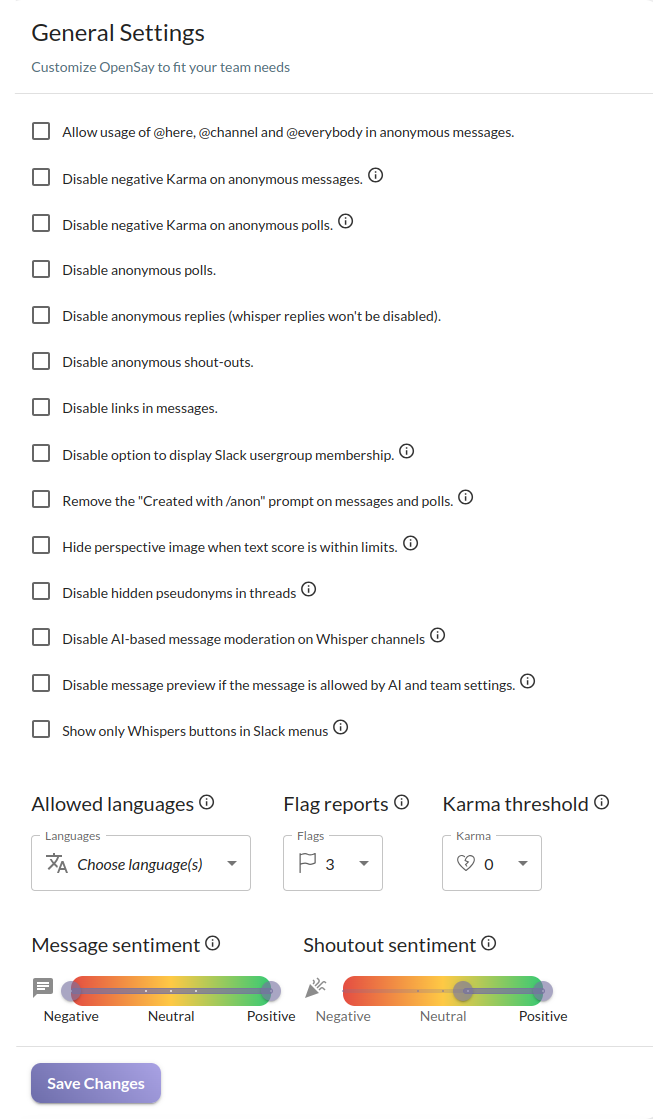
  • Admins can customize OpenSay to fit their Slack team's needs
  • Distributed teams may choose to limit anonymous feedback to specific languages
  • Karma & Flags thresholds can be set to allow unpopular opinions to be heard
  • HR may require only positive anonymous sentiment
Team Karma Moderation

Moderated by Team Effort

Team Karma and Flag Moderation
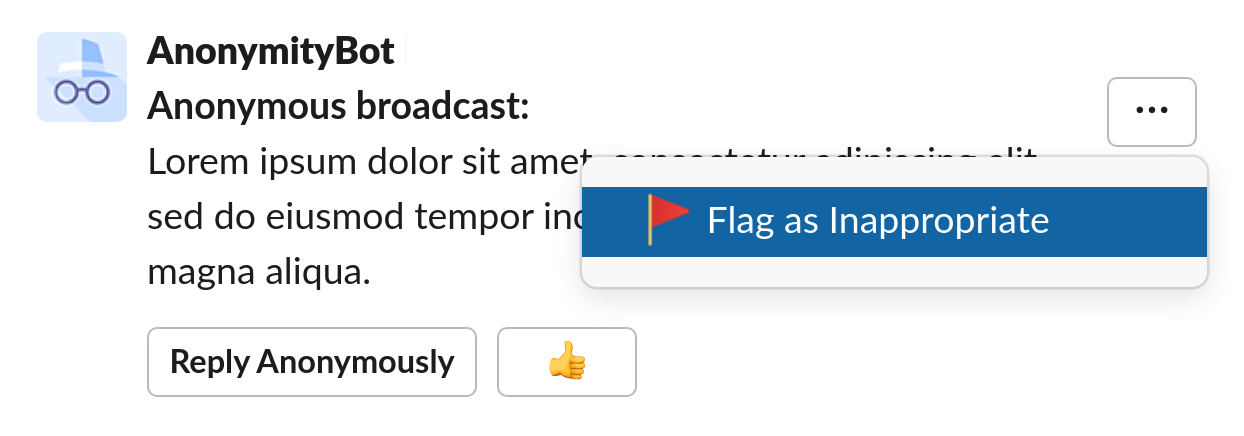
  • Team members can self-regulate anonymous messages by flagging a message as inappropriate
  • When a message reaches a threshold (3 by default) flag reports, the message is deleted and the flag reporters are mentioned (to avoid trolls)
  • When a message's Karma is below a threshold (0 by default) the message is hidden
  • Encouraging contrarian thoughts - admins can set the number of required flag reports and the Karma threshold
Slash Commands

Easy Command Line Interface

OpenSay Slash Command Interface
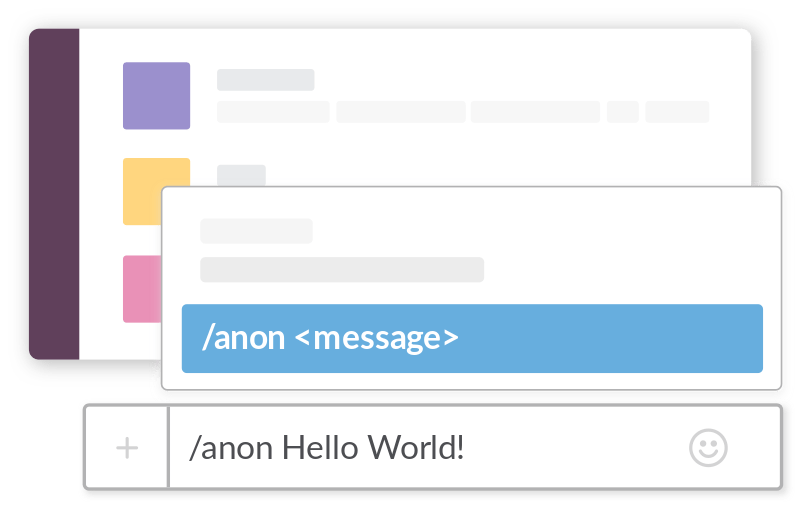
  • Use the /anon command to launch OpenSay's menu
From the Blog

Latest Blogs

Workplace insights on psychological safety, feedback culture, and anonymity.

Comparing Anonymous Slack Apps: OpenSay vs Polly vs Abot for Team Feedback

#Slack

,

#Comparison

,

#Feedback

,

#Pulse Surveys

,

#Whistleblower Hotline

Comparing Anonymous Slack Apps: OpenSay vs Polly vs Abot for Team Feedback

A factual comparison of anonymous Slack feedback apps across cryptographic anonymity, two-way whistleblower hotlines, pulse surveys, AI moderation, and flat workspace pricing.


OpenSay

OpenSay

Nov 26, 2026

 · 

5 min read

OpenSay vs HeyTaco vs Bonusly: Choosing a Slack Recognition and Shoutouts Tool

#Slack

,

#Comparison

,

#Shoutouts

,

#Recognition

,

#Culture

OpenSay vs HeyTaco vs Bonusly: Choosing a Slack Recognition and Shoutouts Tool

Compare OpenSay, HeyTaco, and Bonusly for Slack peer recognition across authentic kudos vs gamified points, AI positive sentiment protection, and flat workspace pricing.


OpenSay

OpenSay

Nov 26, 2026

 · 

5 min read

OpenSay vs Slido vs Suggestion Ox: Best Slack Suggestion Box and Town Hall AMA Tool

#Slack

,

#Comparison

,

#Suggestion Box

,

#AMA

,

#Feedback

OpenSay vs Slido vs Suggestion Ox: Best Slack Suggestion Box and Town Hall AMA Tool

Compare OpenSay, Slido, and Suggestion Ox for running 24/7 anonymous Slack suggestion boxes, All-Hands Town Hall AMAs, and scheduled leadership Q&A workflows.


OpenSay

OpenSay

Nov 26, 2026

 · 

5 min read

Documentation & Guides

Slack How-Tos & Feature Guides

Step-by-step documentation to master anonymous messaging, polls, whispers, and administrative controls in Slack.