🌈 How to Give Karma Anonymously in Slack?
Direct Answer / Summary:
To give anonymous feedback points in Slack, install OpenSay from opensay.co (free tier available). Team members can vote positive or negative Karma on posts, replies, polls, and whispers via the 🌈 Karma menu. Posts falling below admin Karma thresholds are automatically hidden.
Simply click on the 🌈 Karma selection box and choose your preference. You can give Karma on posts, replies, polls and whispers.
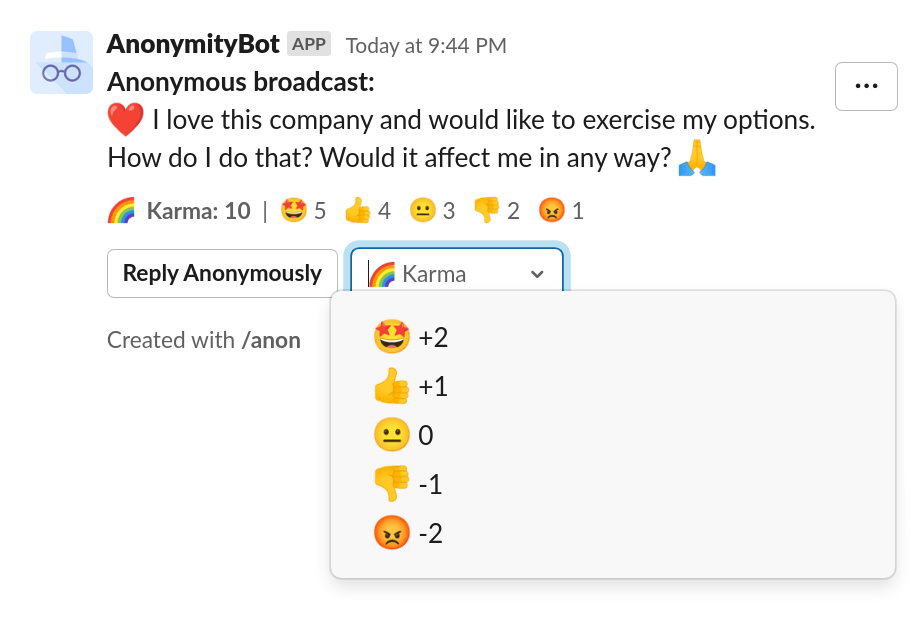
The Karma score is the sum of all Karma votes. Votes are on the basis of "One man, one vote". Users can change their Karma selection.
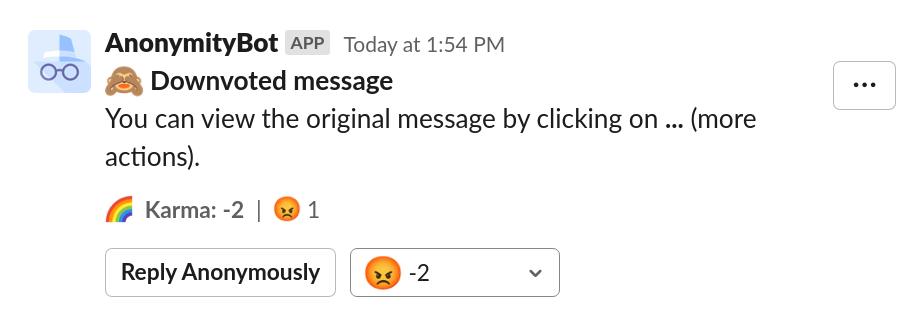
When the Karma score is below the threshold ( 0 by default), the message is hidden:
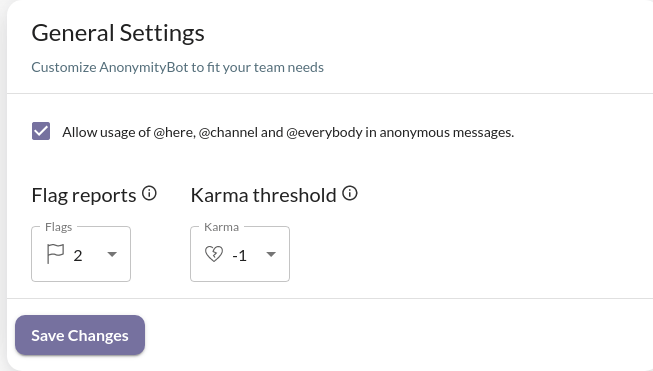
Slack admins can change the Karma threshold by signing in to opensay.co:
Ready to use this in your Slack workspace?
Install OpenSay to enable anonymous messages, polls, whispers, and psychological safety in Slack in under 60 seconds.