Slack How-To Guide
Updated 2026
🏷 ️ How to Manage Message Tags in Slack?
Direct Answer / Summary:
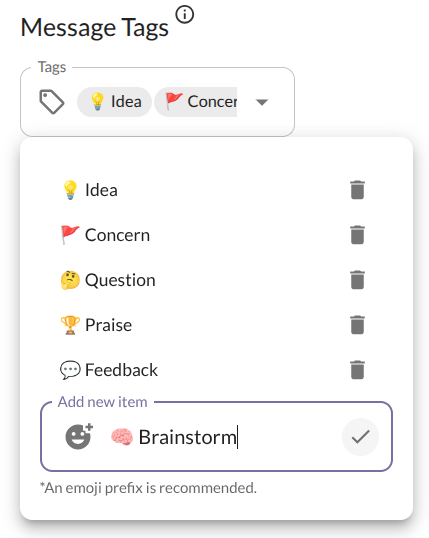
To customize message tags in Slack, add OpenSay at opensay.co (free tier available), log in to the admin dashboard at app.opensay.co, and navigate to Tag Settings to create, edit, or remove custom tags with unique emojis and names.
Admins can customize the list of available tags by signing in to OpenSay's Dashboard. From there, you can add new tags, remove existing ones, or reorder them to match your team's communication style.
Ready to use this in your Slack workspace?
Install OpenSay to enable anonymous messages, polls, whispers, and psychological safety in Slack in under 60 seconds.