🛡 Automated AI Content Moderation in Slack
Direct Answer / Summary:
To automate Slack content moderation, install OpenSay from opensay.co (free tier & trial available). OpenSay integrates Google Perspective API and LLMs to automatically analyze messages for toxicity, harassment, NSFW content, and PII in real-time before publication.
Automatically moderate anonymous messages using Gemini AI to ensure safety and compliance.
For example, when a message is flagged for violating the workspace policies, a preview is shown to the user:
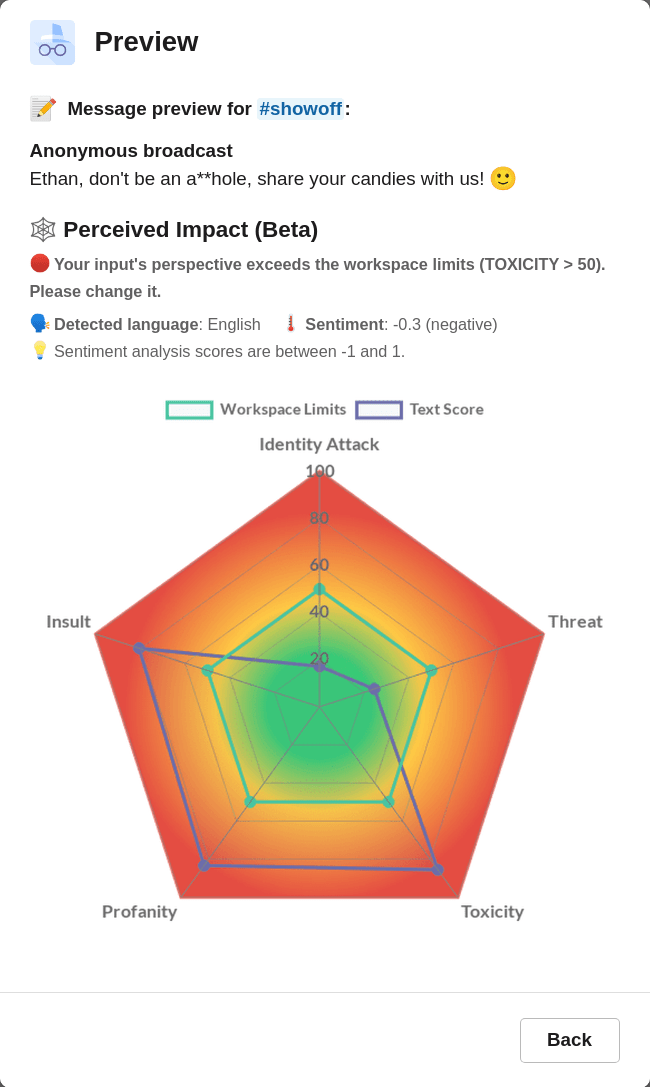
Only messages that are deemed safe by the AI rules are sent.
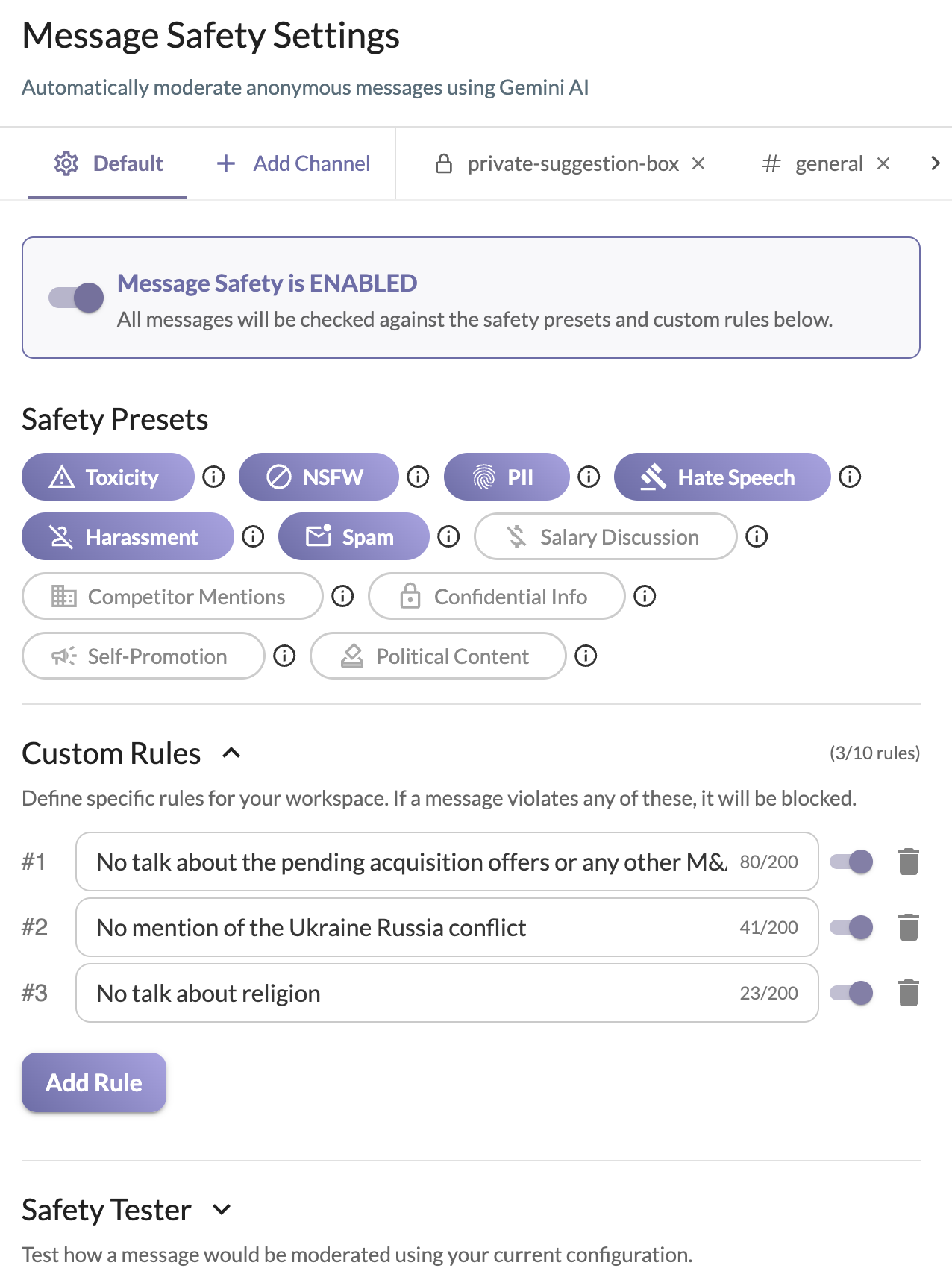
You can configure the active AI Moderation settings by signing in to app.opensay.co and editing the Message Safety Settings on the dashboard. Capabilities include:
- Safety Presets: Toggle default presets like Toxicity, NSFW, Harassment, Hate Speech, PII, and Spam.
- Custom Rules: Define specific rules for your workspace in natural language. If a message violates any of these, it will be blocked.
- Channel Overrides: Enable custom configurations on a per-channel basis.
For example:
Ready to use this in your Slack workspace?
Install OpenSay to enable anonymous messages, polls, whispers, and psychological safety in Slack in under 60 seconds.