📝 How to Send Pulse Surveys in Slack?
Direct Answer / Summary:
To send anonymous pulse surveys in Slack, add OpenSay from opensay.co (free tier & trial available) and sign in to the dashboard at app.opensay.co. Choose a survey template or custom question, select your target audience, and dispatch automated direct messages with real-time feedback analytics.
Pulse surveys are one-off anonymous surveys sent privately via Direct Messages to gather quick feedback from a specific audience. Feedback from these surveys is collected anonymously.
Slack admins can send pulse surveys by signing in to app.opensay.co and navigating to the Pulse Surveys section on the dashboard:
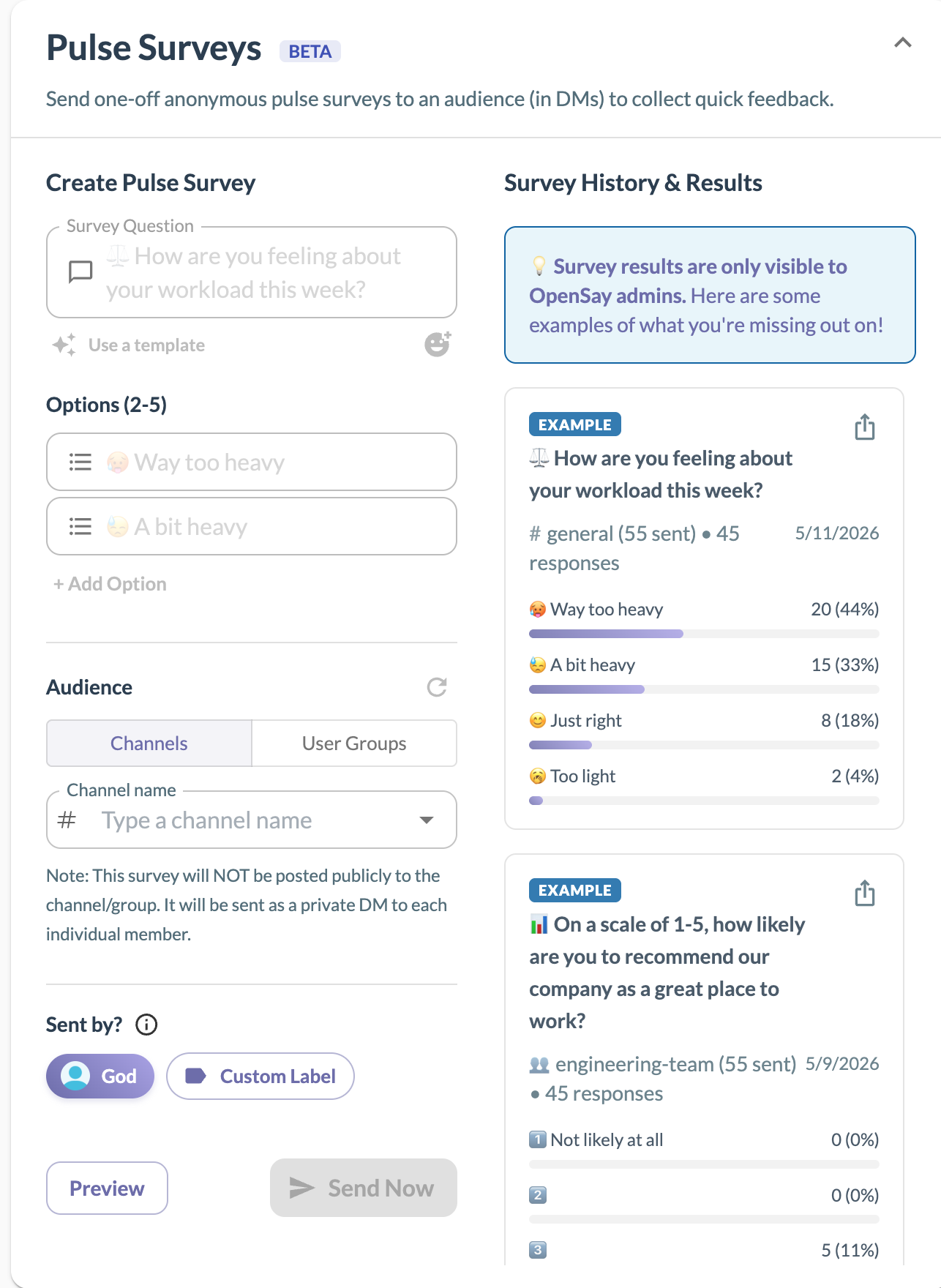
You can select a pre-defined template or create your own custom question and options. Then, select your audience and send the survey directly to their DMs!
When sent, the users will receive a private Direct Message from the OpenSay app in Slack that looks like this:
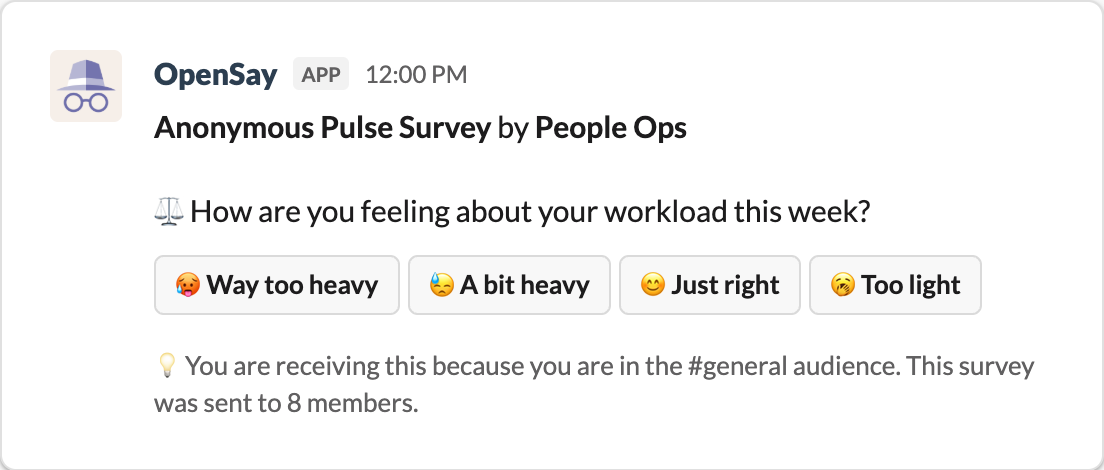
Once feedback is collected, you can view the results in real-time on the OpenSay dashboard and export the pulse survey data as both an Excel (.csv) file and as an Image (.png) for easy reporting.
Ready to use this in your Slack workspace?
Install OpenSay to enable anonymous messages, polls, whispers, and psychological safety in Slack in under 60 seconds.