📊 How to Poll and Vote Anonymously in Slack
Direct Answer / Summary:
To create an anonymous poll in Slack, add OpenSay at opensay.co (free tier available), type /anon poll in any channel, enter your question and options, and submit. Both pollsters and voters remain 100% anonymous, with live tally updates in real-time.
Anonymous polls, where both pollster and voter are anonymous, remove most of the prevailing biases and brings us closer to the truth. Learn more by reading our blog post.
An anonymous Slack poll looks like this:
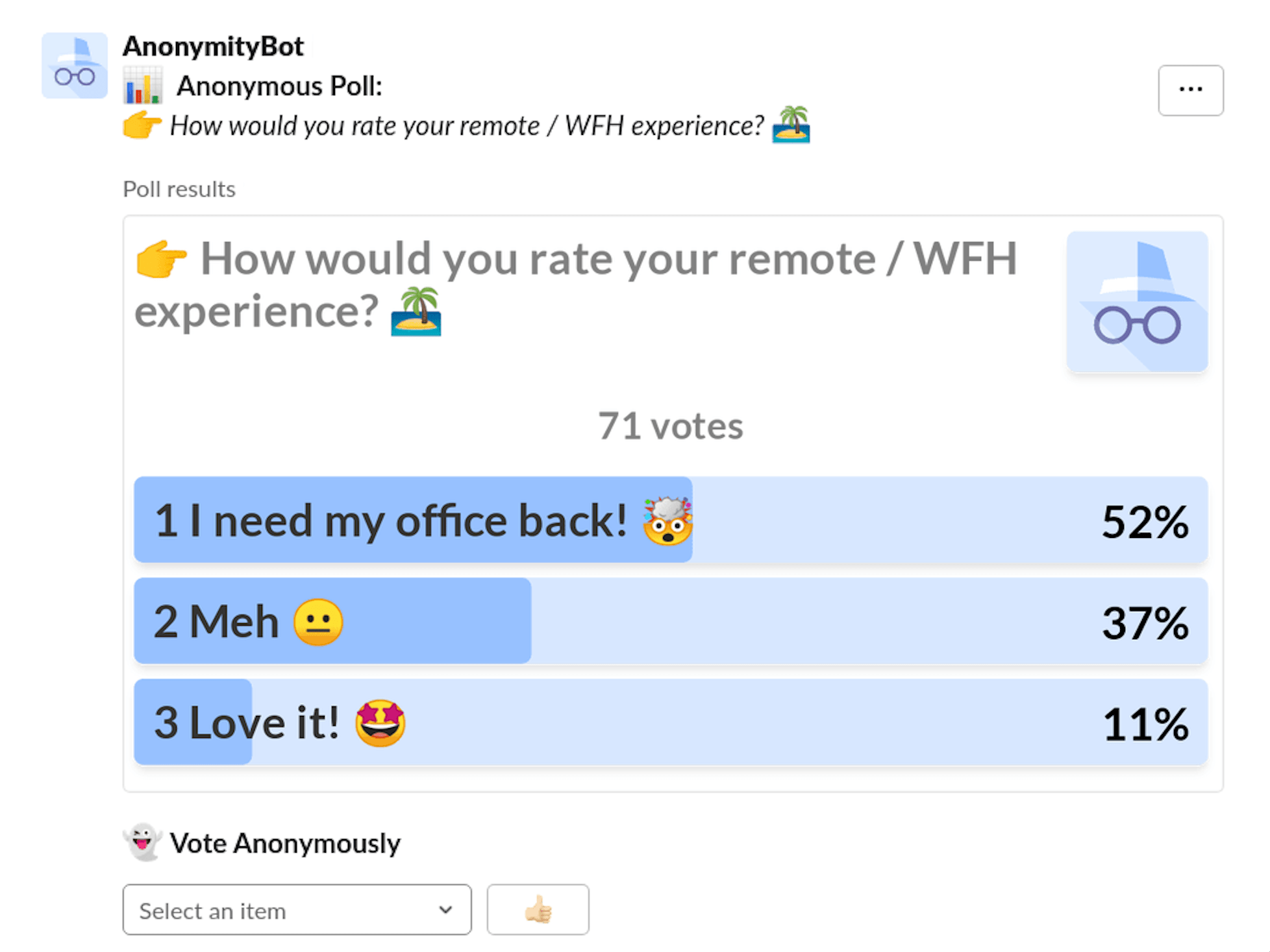
Voting can be done by simply selecting an option. One user one vote. Users can change their selection.
You can poll anonymously in Slack in three ways:
-
Type
/anon poll, choose a channel, type a topic and options and click on Poll. -
Type
/anon, click on Poll Anonymously (or simply type/anon poll). -
Click the ⚡ (shortcuts button) and choose Poll Anonymously.
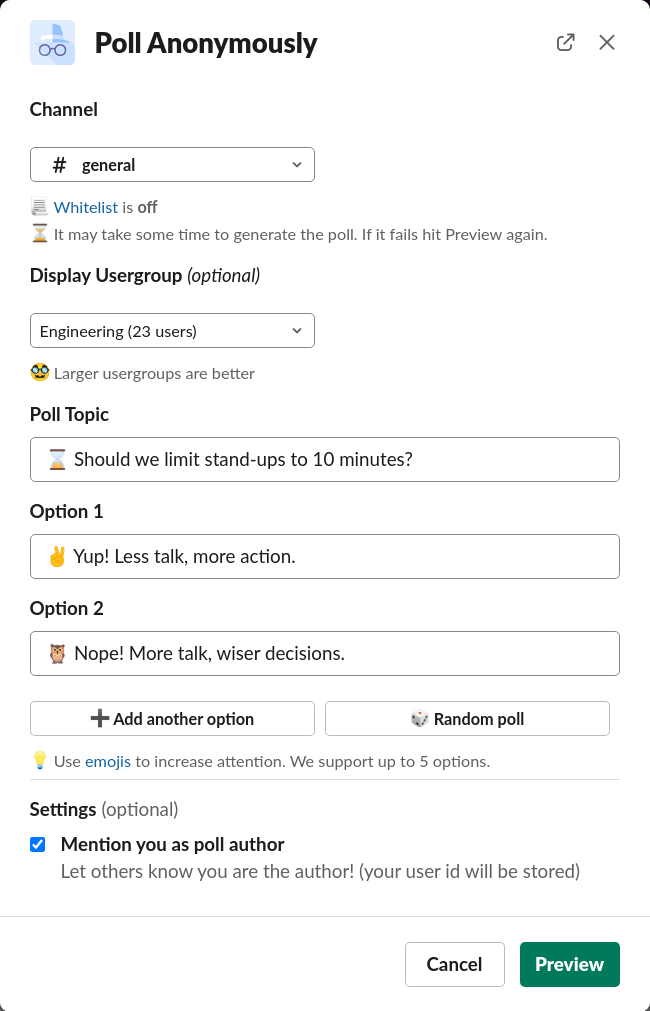
Authors that belong to a Slack usergroup (e.g. Engineering) will have the option to display it.
Polls with non-anonymous authors can be achieved by hitting the Mention you as poll author option.
Ready to use this in your Slack workspace?
Install OpenSay to enable anonymous messages, polls, whispers, and psychological safety in Slack in under 60 seconds.