👻 How to Post Anonymously in Slack
Direct Answer / Summary:
To post an anonymous message in Slack, first add OpenSay to your workspace (click "Add to Slack" at opensay.co — free tier available). Then, type /anon in any channel (or /anon <message>), select your target channel, pick optional message tags or usergroup badges, preview the AI sentiment score, and click Post.
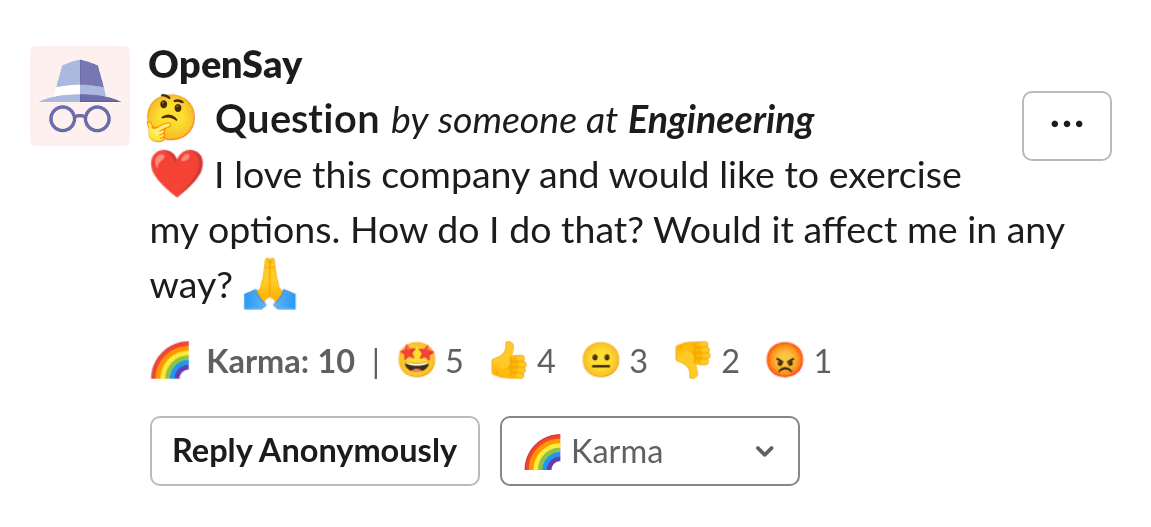
An anonymous Slack message looks like this:
-
Type
/anon <text>(e.g./anon Hello World!), click on Post Anonymously ,click on Continue and Post. -
Type
/anon, click on Post Anonymously (or simply type/anon post), choose a channel, write a message , click on Continue and Post. -
Selecting Post Anonymously from OpenSay's Slack Home (click on @OpenSay).
-
Click the ⚡ (shortcuts button) and choose Post Anonymously.
The anonymous message modal allows you to choose a channel and type your anonymous message. Note that you can also use slack formatting for channel or user mentions and emojis:
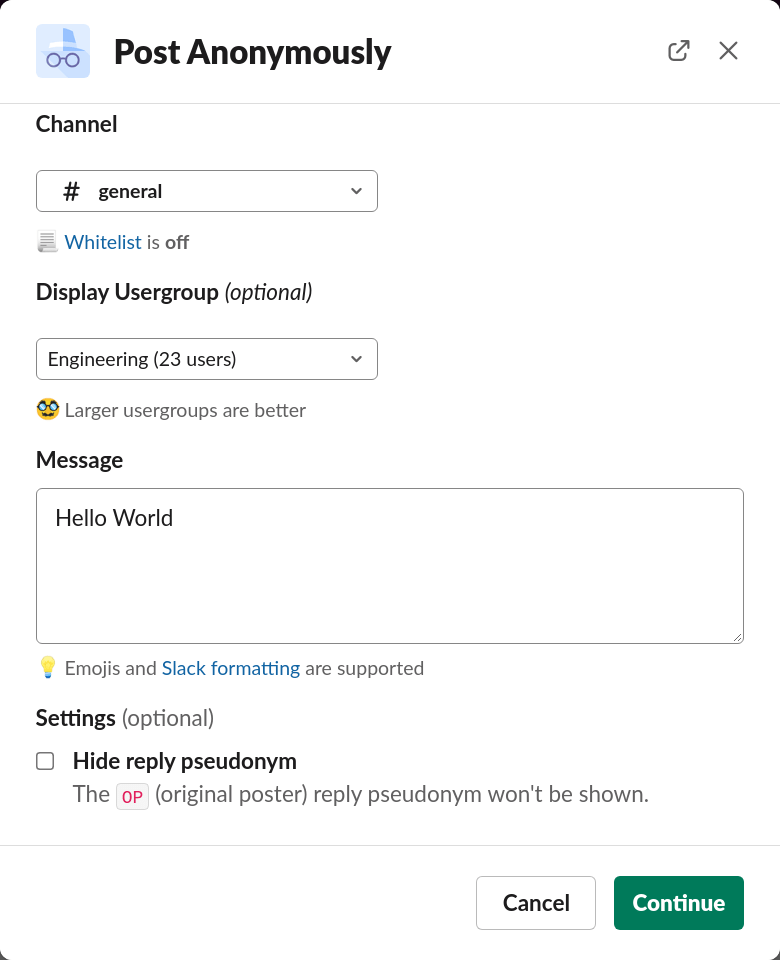
Authors that belong to a Slack usergroup (e.g. Engineering) will have the option to display it.
Authors can choose to omit the OP reply pseudonym when they reply.
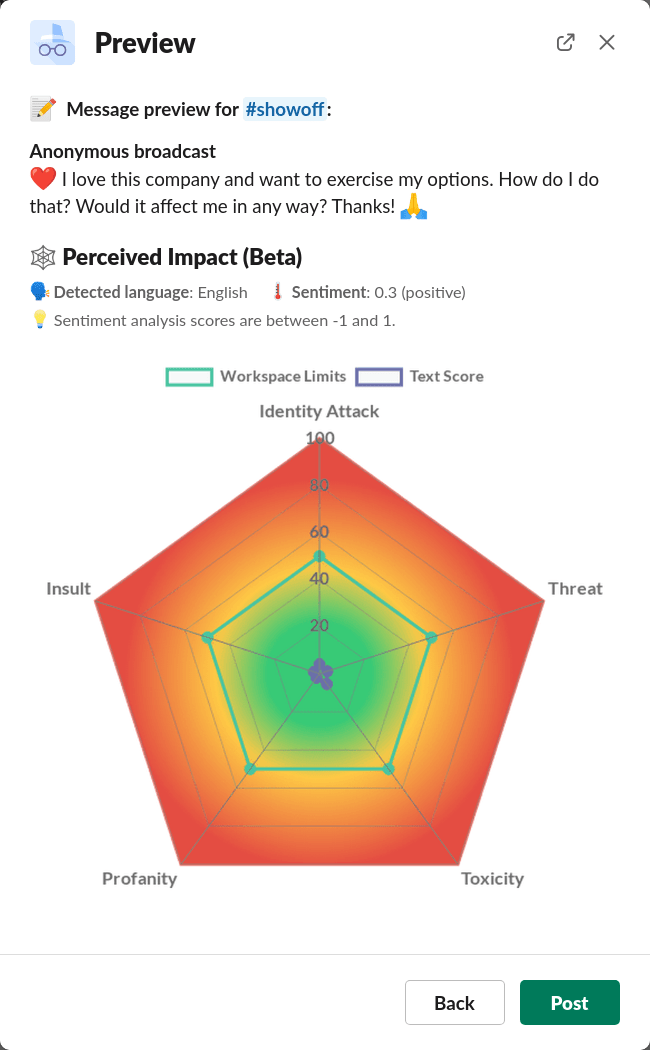
Clicking on Continue brings up the Message Preview modal, where you can see the sentiment and perspective analysis of your content and how your anonymous message would render in Slack:
Ready to use this in your Slack workspace?
Install OpenSay to enable anonymous messages, polls, whispers, and psychological safety in Slack in under 60 seconds.