📨 How to Submit an Anonymous Whisper Report in Slack
Direct Answer / Summary:
To submit a private whistleblower report in Slack, install OpenSay at opensay.co (free tier & trial available), type /anon whisper (or /whisper), choose a reporting category, select whether to conceal or reveal your name, and submit directly to designated reviewers.
First, an admin needs to enable Anonymous Whispers and add private channels in OpenSay's Dashboard.
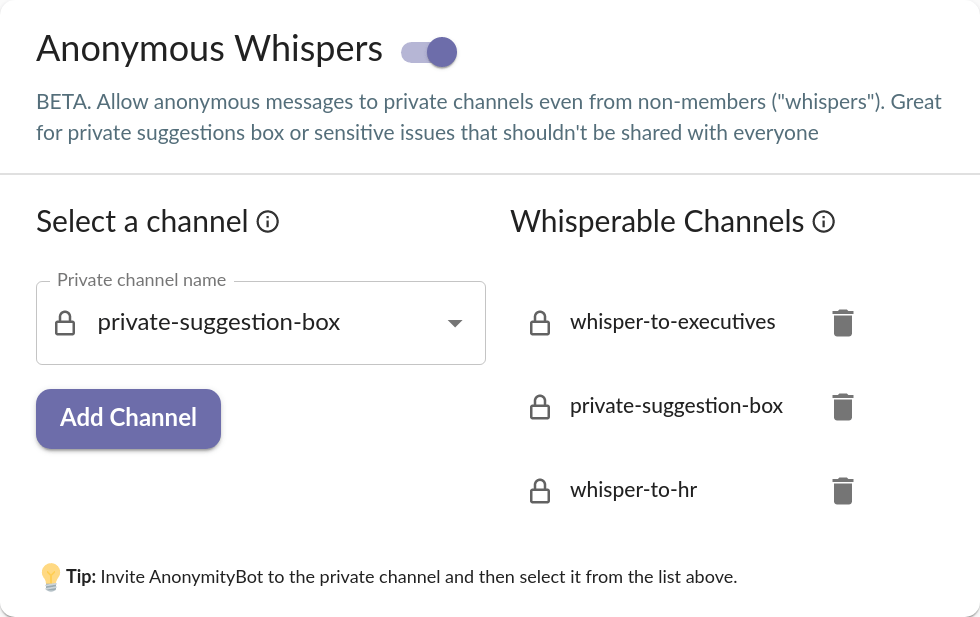
Any member can now invoke the whisper anonymously dialog with one of the following:
- Typing
/anon whisper. - Selecting Whisper Anonymously from OpenSay's Slack Home, Menu or Slack's Shortcuts interface.
The whisper anonymously dialog is straightforward and reminiscent of the post anonymously dialog:
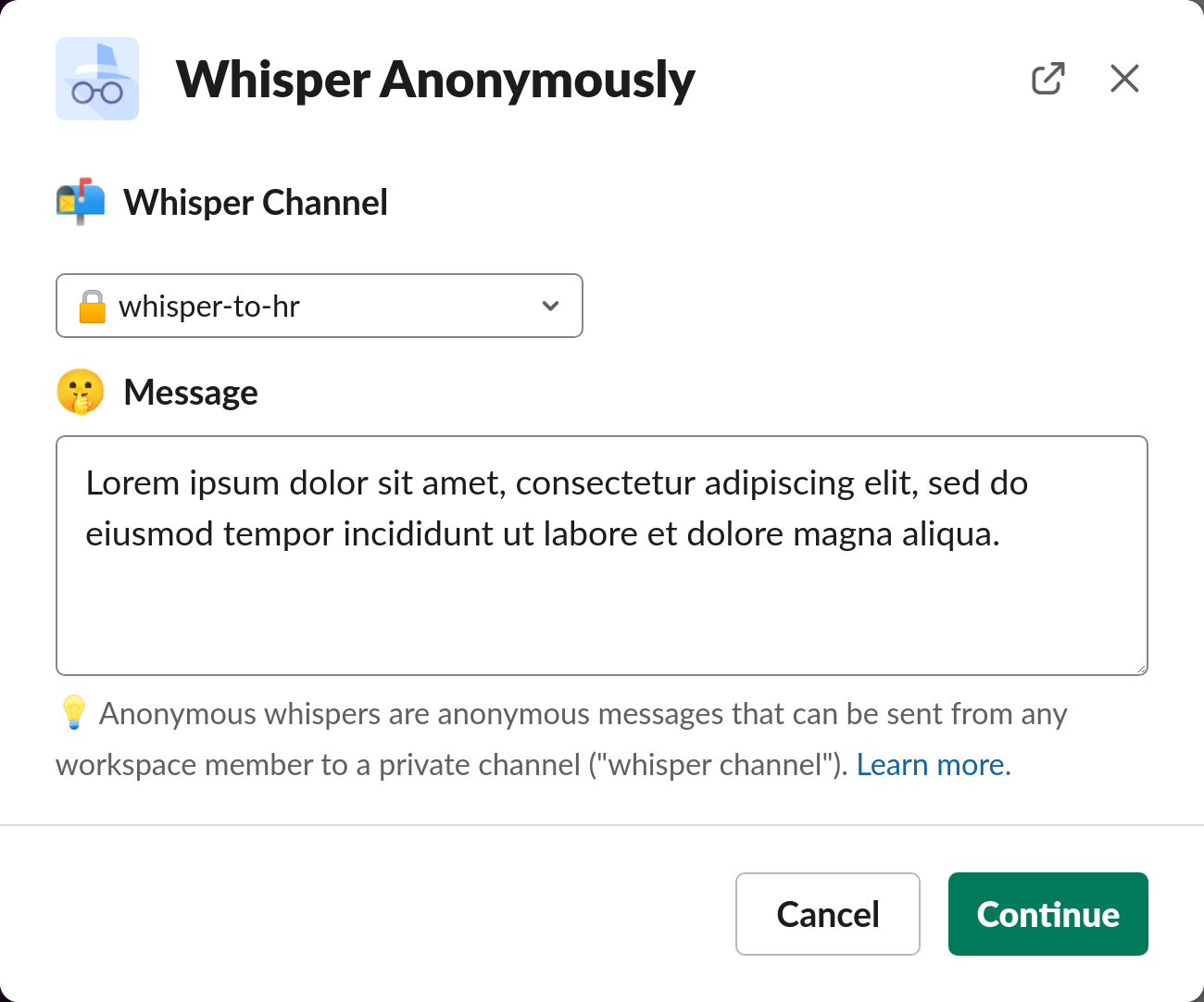
Clicking Continue leads to the Preview View which shows you how the whisper would look like to members of the chosen whisper channel.
Ready to use this in your Slack workspace?
Install OpenSay to enable anonymous messages, polls, whispers, and psychological safety in Slack in under 60 seconds.