☑ How do Authorized Responses Work?
Direct Answer / Summary:
To post verified official leadership responses in Slack, add OpenSay at opensay.co (free tier & trial available). Designated roles (HR, Compliance, Leadership) can reply with an Authorized Response badge, verifying that the answer comes from official workspace administrators.
Authorized Responses allow anyone to post anonymously in a channel, but only specific authorized users can reply to those messages. This is perfect for Ask-Me-Anythings (AMAs), leadership Q&As, and townhalls where you want to ensure that only verified personnel provide official answers.
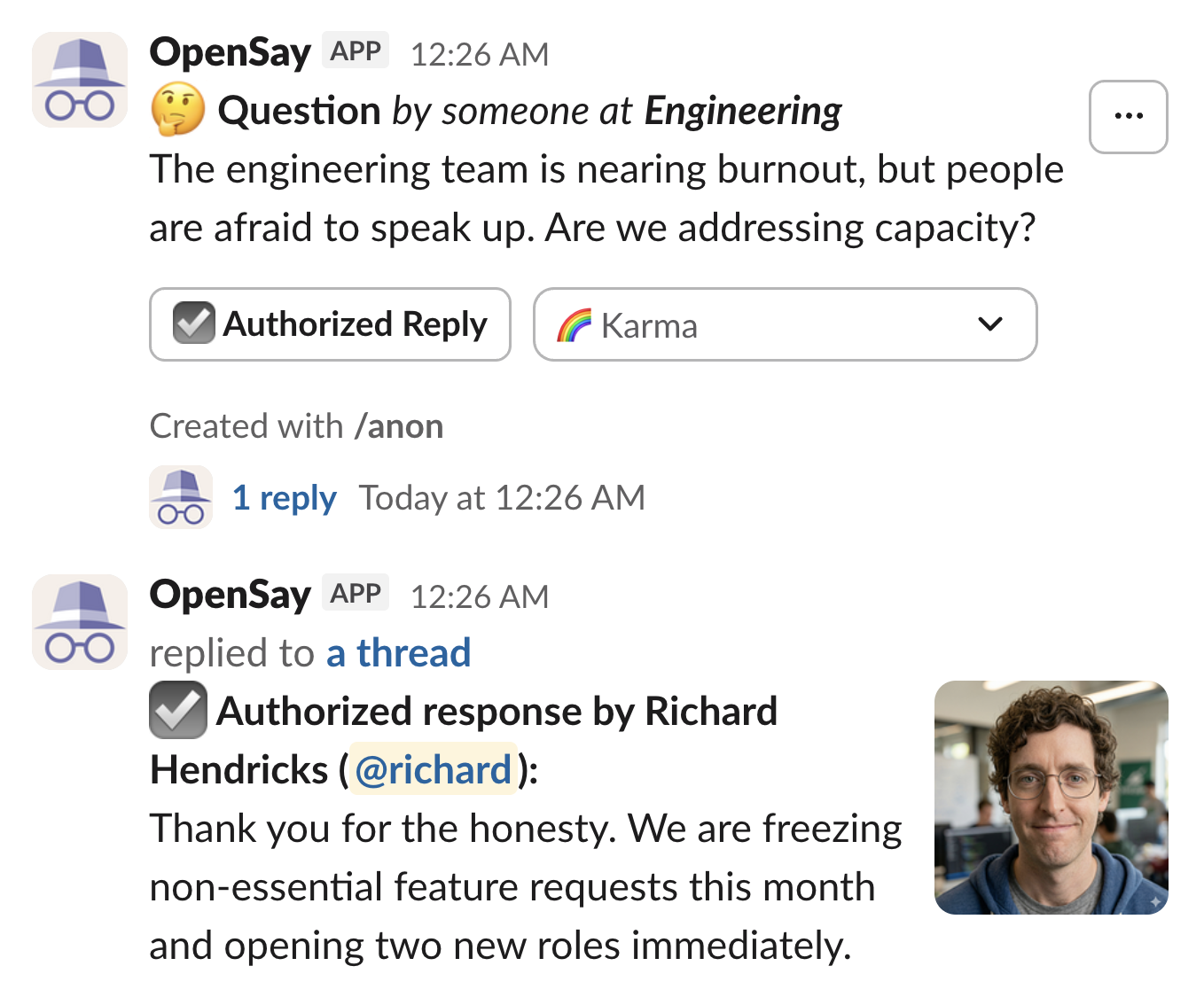
An authorized response looks like this in Slack:
How to set up Authorized Responses:
- Authorized Individual User: A user is authorized to reply if they were specifically designated by an admin in the dashboard.
- Slack Admins: Slack workspace admins are also automatically authorized to provide these responses.
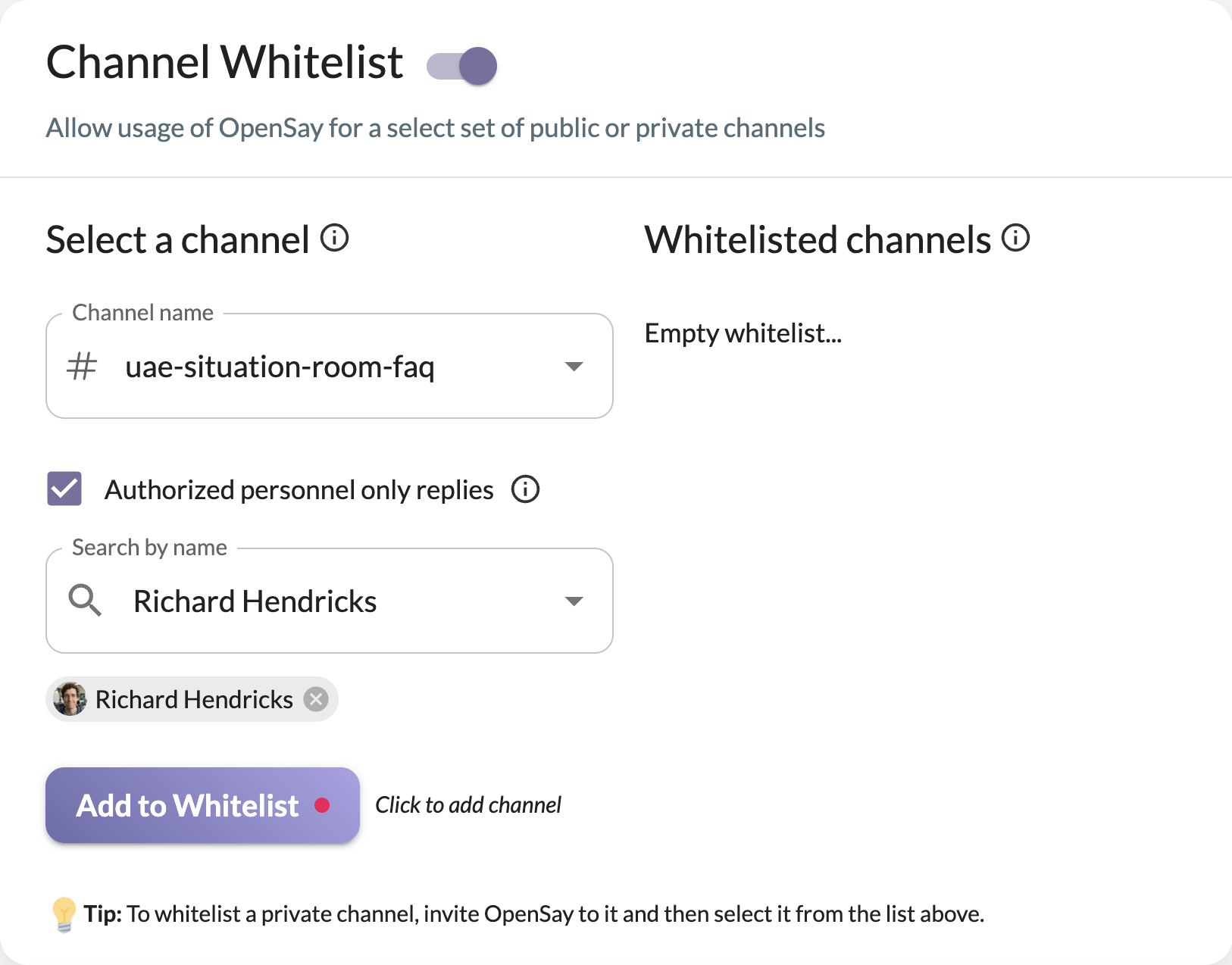
To enable this on a per-channel basis:
- Sign in to the OpenSay Dashboard.
- Enable Channel Whitelist.
- Select a channel and toggle Authorized personnel only replies.
- Search for and add the Slack users you wish to authorize for that specific channel.
Authors who are authorized will see an Authorized Reply button on anonymous messages in those channels. When they reply, their official name and avatar will be displayed alongside a "Verified" badge.
Ready to use this in your Slack workspace?
Install OpenSay to enable anonymous messages, polls, whispers, and psychological safety in Slack in under 60 seconds.