Slack How-To Guide
Updated 2026
🗣 ️ How to Allow Specific Languages in Slack?
Direct Answer / Summary:
To restrict anonymous feedback to specific languages in Slack, install OpenSay from opensay.co (free tier & trial available), navigate to the dashboard at app.opensay.co, and select your approved languages under General Settings to ensure compliance across distributed teams.
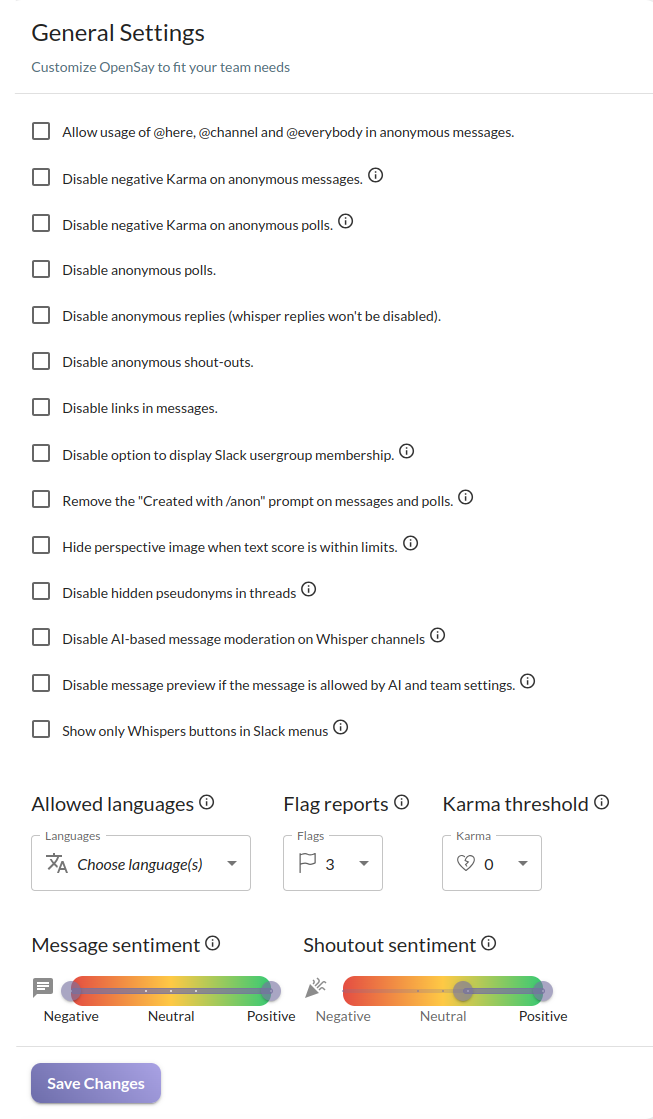
We automatically detect the language of messages and allow admins to limit anonymous content to specific languages. For instance, a distributed team may choose to only allow messages in English or German.
Sign in to app.opensay.co and select the languages you allow from the Allowed languages drop-down list. Empty means all languages are allowed.
Ready to use this in your Slack workspace?
Install OpenSay to enable anonymous messages, polls, whispers, and psychological safety in Slack in under 60 seconds.