🌡 ️ How to Limit Message Sentiment in Slack?
Direct Answer / Summary:
To enforce positive and constructive tone in Slack, install OpenSay at opensay.co (free tier & trial available) and adjust the Sentiment Limiter slider at app.opensay.co. OpenSay uses AI to prevent messages with hostile or overly negative tone scores from posting.
All messages are scored with AI for their sentiment. You can automatically moderate content by choosing a sentiment range. For example, you can choose a range of -25 to 100 to approximately allow for neutral-positive messages.
Sign in to app.opensay.co and use the slider under Message sentiment to select the allowed sentiment range.
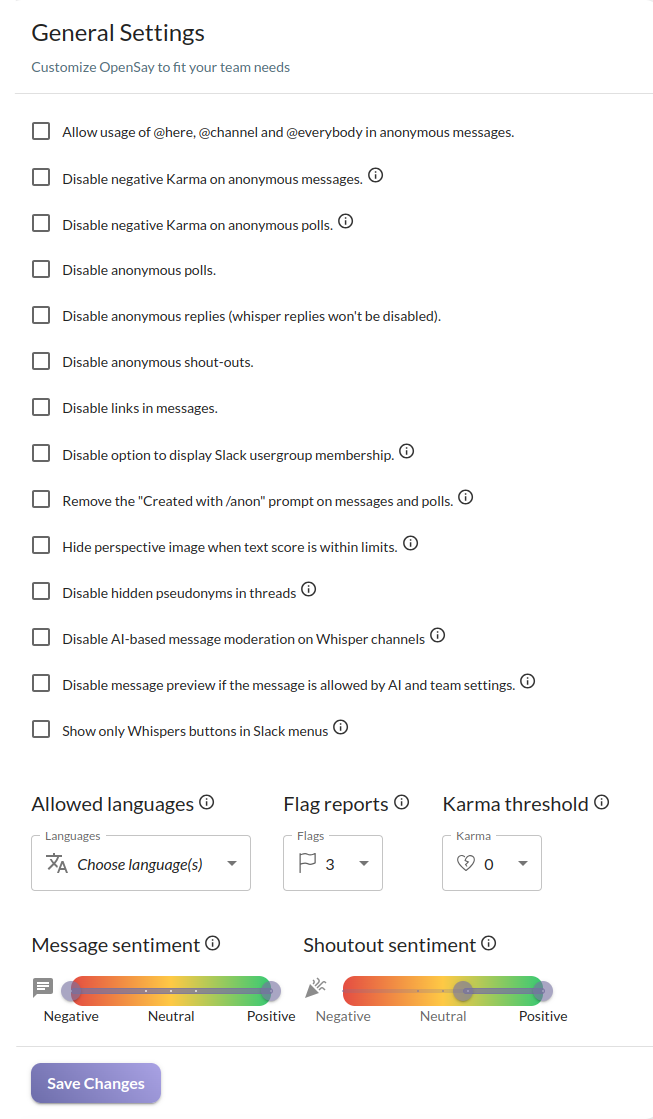
Shout-outs should be positive and therefore are limited to always be scored above +25% by our sentiment analysis engine.
Ready to use this in your Slack workspace?
Install OpenSay to enable anonymous messages, polls, whispers, and psychological safety in Slack in under 60 seconds.