Slack How-To Guide
Updated 2026
💡 How to Give Candid Anonymous Feedback in Slack
Direct Answer / Summary:
To give candid feedback in Slack, add OpenSay freely from opensay.co (free tier available). Employees can post ideas via /anon in feedback channels, vote in /anon polls, or send confidential /whisper messages directly to leadership.
Anonymous feedback is used to extract valuable thoughts by increasing the psychological safety of the team - people feeling they can raise questions, concerns, and ideas without fear of personal repercussion.
With OpenSay, anonymous feedback can come in the following forms:
- Anonymous messages in a public or private channels
- Anonymous replies to discussions
- Anonymous polls and votes
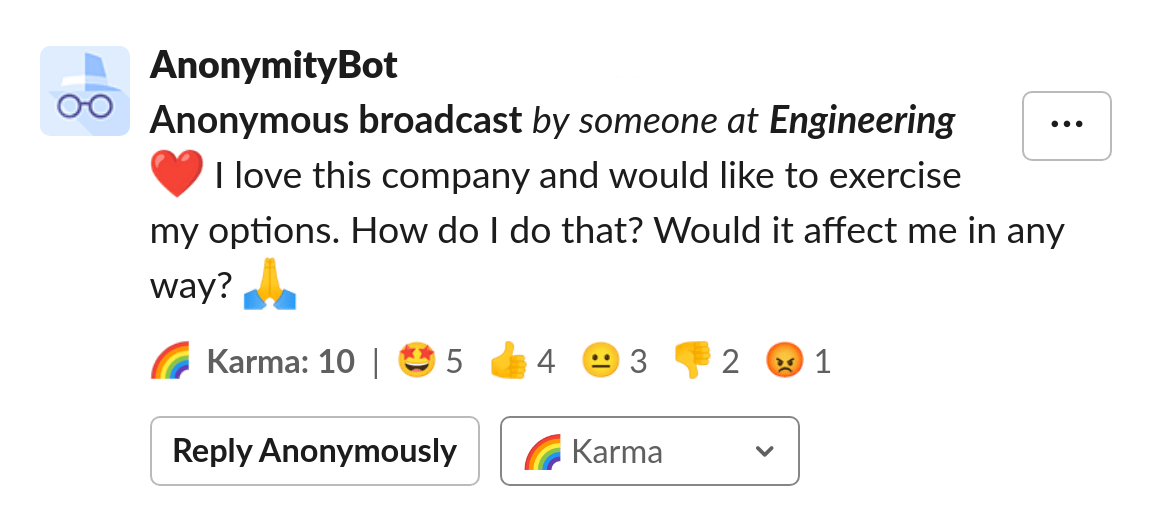
Members can anonymously signal an approval with the thumbs up button (👍) on messages and polls.
Ready to use this in your Slack workspace?
Install OpenSay to enable anonymous messages, polls, whispers, and psychological safety in Slack in under 60 seconds.