Slack How-To Guide
Updated 2026
📈 How to View OpenSay Usage Analytics and Sentiment Trends
Direct Answer / Summary:
To monitor anonymous team engagement in Slack, install OpenSay at opensay.co (free tier & trial available), log into app.opensay.co, and view the Analytics tab for anonymized message volume, sentiment trends, and active channels.
We collect anonymized usage analytics of OpenSay:
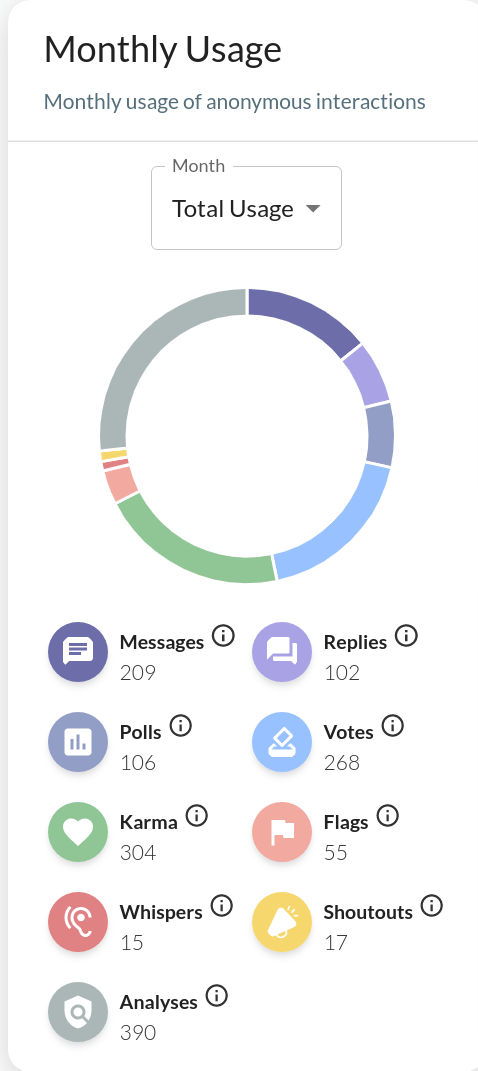
View usage analytics by signing in to app.opensay.co,
Ready to use this in your Slack workspace?
Install OpenSay to enable anonymous messages, polls, whispers, and psychological safety in Slack in under 60 seconds.