✅ Verified Slack Usergroup Badges for Anonymous Authors
Direct Answer / Summary:
To show your team role while remaining anonymous in Slack, add OpenSay at opensay.co (free tier & trial available). When composing a message via /anon, toggle your verified Slack usergroup badge (e.g. Engineering, Sales) to display department affiliation without exposing your individual identity.
Anonymous authors can choose to display a [Slack usergroup] they belong to.
It looks like this:
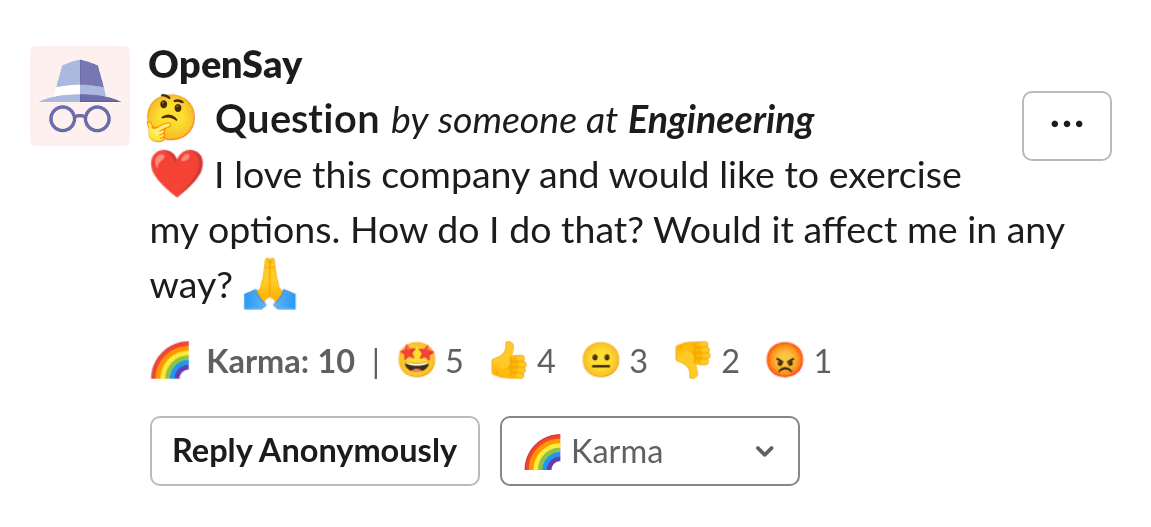
Notice the someone at Engineering in the message title.
Members of Slack Usergroups will be shown a Display Usergroup section in their creation dialog of anonymous messages, replies, polls and whisper.
For example:
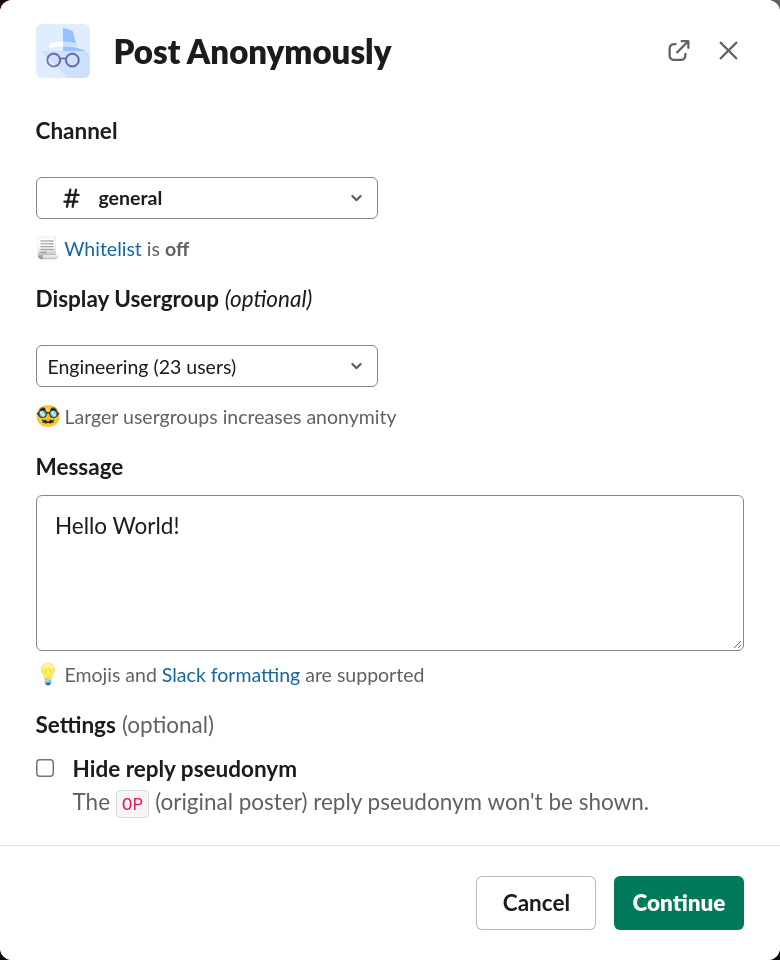
For more information on this feature you are invited to read our blog post about it - Verified Usergroups for Anonymous Authors.
Ready to use this in your Slack workspace?
Install OpenSay to enable anonymous messages, polls, whispers, and psychological safety in Slack in under 60 seconds.